Ink tank printers invert the usual printer economics, and understanding that inversion is the whole decision.
Cheap multifunction printers are inexpensive to buy and expensive to feed — the maker's money is in the cartridges. Ink tank printers do the opposite: manufacturers charge properly for the hardware, then sell refill ink extremely cheaply in large bottles. For anyone printing a lot, that combination saves substantial money — and, as the comparison of current Canon, Epson and HP models shows, without compromising print quality or speed.
The corollary matters just as much: if you print occasionally, an ink tank printer is the wrong purchase. You will pay the hardware premium and never print enough pages to recover it.
How the tanks change things
Most inkjets use replaceable cartridges. Ink tank models instead have permanently built-in tanks that you refill as needed, and those reservoirs are considerably more voluminous than cartridges.
Refilling is done from ink bottles that can be up to ten times larger than cartridges. The capacities make the point: colour bottles hold at least 40 millilitres per colour on the smallest models and up to 135 millilitres on the larger machines in a range, while black runs from 60 millilitres up to 170 millilitres. Per millilitre, tank ink works out roughly ten times cheaper than cartridge ink at the best end of the range.
Most machines ship with a set of four bottles; some Canon and HP models include two blacks for five, and the six-ink photo models come with six.
One genuine drawback: setting up takes noticeably longer than a cartridge printer. There is nothing to click into a holder — you fill the machine from the supplied bottles, and the ink needs time to distribute through the tanks, the lines and the print heads.
Spotting them is easy, because each maker uses a consistent name: DCP-T (Brother), Maxify GX or MegaTank (Canon), EcoTank (Epson) and Smart Tank (HP). Epson pioneered the format; Canon and HP followed long ago, and Brother arrived last and is still finding its feet in the category.
How rarely you refill
The practical benefit of large fixed tanks is that refilling is infrequent even under heavy use. Printing photos — the most ink-hungry job there is — a single tank filling still yields around 1,500 prints at 10x15 cm, with some Canon Pixma G models reaching 3,000 and HP Smart Tank models more than 4,000. An office printing A4 text and spreadsheets will often exceed 10,000 pages on one filling.
Where the quality differences actually show
Across the field, print and scan quality scored well throughout, and the differences are narrower than the specifications suggest.
Photos are where the gaps open. Six-ink machines produce noticeably better results — Epson adding photo black and grey, Canon adding red and grey — while HP's Smart Tank models were the weak spot on colour reproduction and fell slightly behind.
Text and graphics differ far less between models.
Scanning was high quality on every machine, but resolution varies enormously, which matters if you plan to digitise small originals such as old photographs. The best in the field reached 1,149 ppi; among the Canon machines the Maxify GX7150 managed a still-high 724 ppi, while the Pixma G3560 was distinctly mediocre at 512 ppi.
How the printers were tested
The laboratory work behind these picks is unusually thorough, and worth knowing because it explains what the verdicts mean.
Speed and quality. Testers measured the time to print a DIN A4 page of text, an A4 page of colour graphics, and photos at 10x15 and 18x24 centimetres. Speed alone proves nothing if the output is pale and blurred, so colour fidelity was measured with an X-Rite instrument against Image Engineering test charts, alongside sharpness, contrast range and greyscale accuracy. An electronic microscope checked whether letter edges run clean or carry the fringing that degrades legibility.
Smudge resistance. Drying time was tested by attempting to mark the text with a pen immediately after printing, then after 10, 30 and 60 seconds, and again after a full hour, checking whether letters smeared.
Running costs. Printing until a tank runs dry would take an implausible quantity of paper and time, because tank reserves last for thousands of prints even when producing ink-hungry photos. So output was capped at a few hundred pages per machine and consumption measured on a precision balance accurate to the milligram, which yields exact running costs and page yields anyway.
The picks
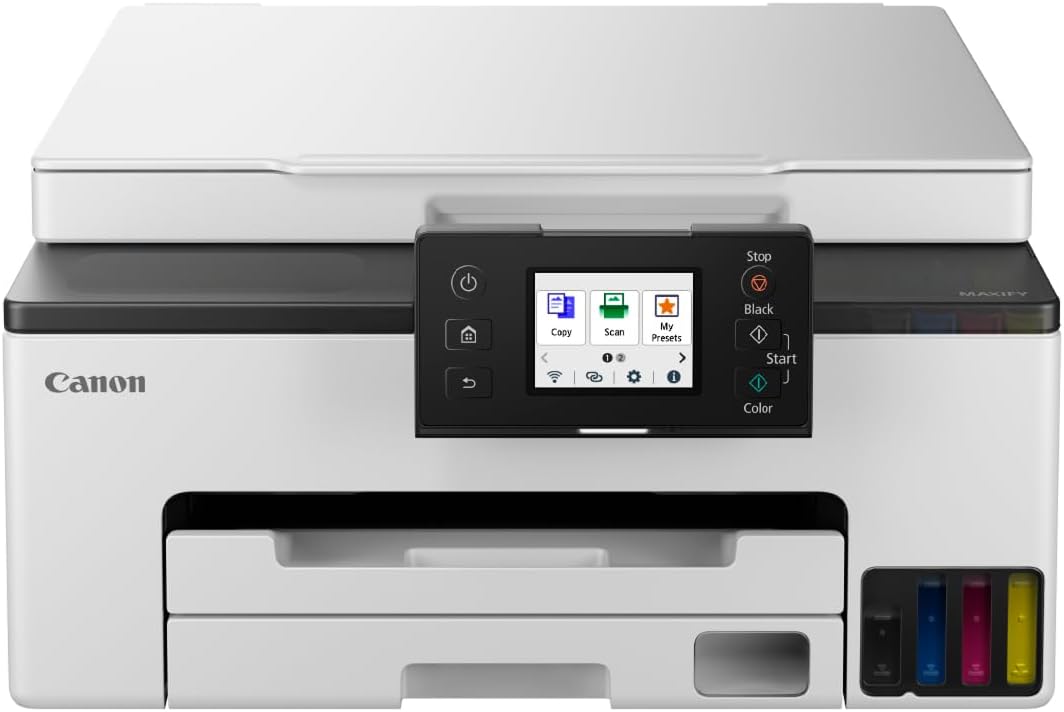
Best overall — Canon Maxify GX7150. Comprehensively the strongest machine here, and comprehensively the wrong one for occasional users: far too expensive unless you genuinely print a lot. For heavy printing it is exactly right, putting text, graphics and photos on paper quickly and extremely cheaply. The equipment list is generous — twin paper trays and an automatic document feeder — and the main complaint is noise, as it prints rather loudly. It differs only marginally from the previous GX7050, chiefly in having smaller viewing windows for the ink level.
Best value — HP Smart Tank 5105. The pick if you want to print plentifully and cheaply without the hardware premium: unusually affordable for an ink tank model, achieved by economising on equipment. There is no paper cassette and no document feeder — if you need either, the 7005 or 7305 is the right direction instead. A genuinely useful buying note: the 5106, 5107 and 5108 are largely identical and often sell at similar prices, so if the 5105 is unavailable, those are legitimate alternatives rather than compromises.
Best compact all-rounder — Canon Maxify GX1050. Canon aims the Maxify series at small offices, but the smallest model works at home too, because of the mixture it offers: compact, quiet by printer standards, prints extremely cheaply, and delivers both prints and scans at high quality. Its one real weakness is scanning — originals must be fed one at a time. It is UK-listed under that exact model name as a refillable MegaTank all-in-one.
Best for photos — Epson EcoTank ET-8500. A very solid, genuinely fast and well-equipped machine, which is not a given in this category. Its speciality is printing high-quality photos very cheaply using six inks.
Best for large photos — Epson EcoTank ET-8550. Fast, high quality and very low running costs, and the choice if you want to print up to A3 — specifically A3+ at 330x483 mm. Two additional inks give it the field's best colour graphics output. It carries a steep purchase price, above its smaller sibling.
Best budget photo printer — Canon Pixma G650. A photo specialist printing with two extra colours, red and grey, for particularly high photo quality — at the cost of speed, taking two minutes for a standard 10x15 cm photo. Equipment is sparse. Its appeal is that it delivers top photo printing at roughly half the outlay of the six-ink Epson above.
Before you buy
Four questions. How many pages do you actually print in a year? That single number decides whether this category saves you money or costs you money. Do you need a document feeder? The value pick omits it deliberately, and scanning multi-page documents one sheet at a time gets old quickly. Where will it live? One pick here is notably loud, another notably quiet. And is the exact model available? — in this category near-identical siblings are common and genuinely equivalent, which is unusually helpful when stock runs out.
Our best printers guide covers the cartridge alternative, and our best label printers guide the specialist end.
Research sources
Sources recorded for this page are linked below. Reported third-party testing belongs to the original publisher; it is not testing performed by Truthful Reviews.