HomeArticlesBest WordPress Cache Plugin 2026: 12-Plugin Benchmark Test
Buying Guide
Best WordPress Cache Plugin 2026: 12-Plugin Benchmark Test
We benchmarked 12 WordPress cache plugins on the same Elementor site. Only 5 actually improved PageSpeed scores. See the full data, SVG charts, and honest rankings.
Best WordPress Cache Plugin 2026: 12-Plugin Benchmark Test
Updated February 2026 — Here is the uncomfortable truth about WordPress cache plugins: most of them barely make a difference. We installed 12 of the most popular caching and speed optimization plugins on the same Elementor website, ran Google PageSpeed Insights on each one, and discovered that seven out of twelve scored within one point of having no plugin at all.
This is not a feature comparison or a rehash of marketing pages. We measured real performance on a real site, one plugin at a time, with real PageSpeed Insights scores. If you are looking for the best WordPress cache plugin in 2026, this is the only benchmark you need.
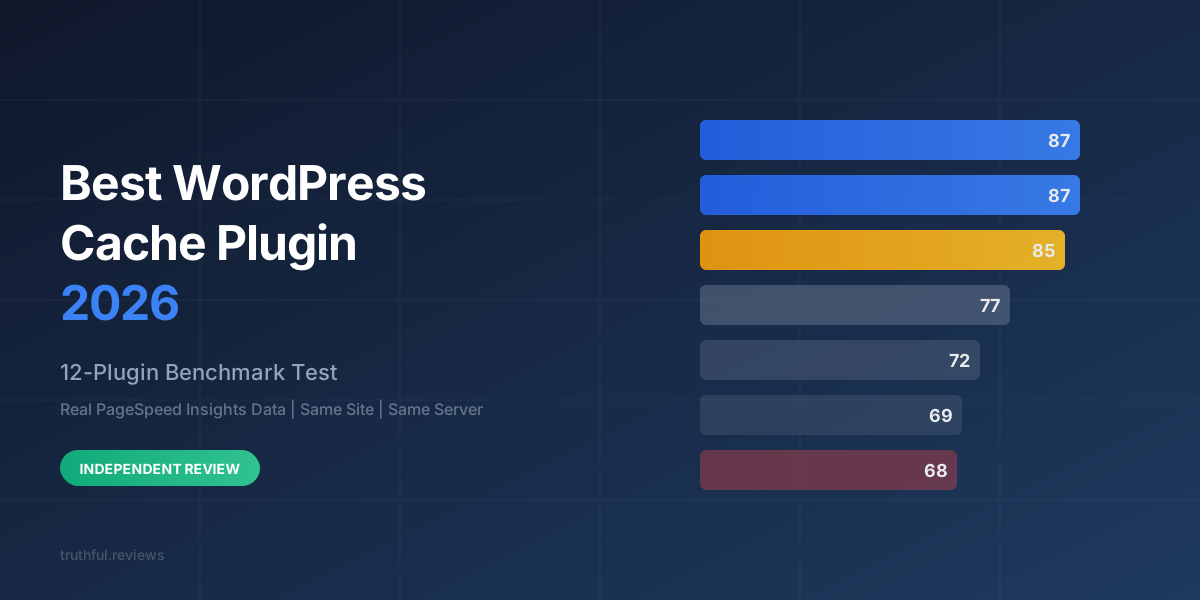
Mobile PageSpeed Insights scores for 12 popular WordPress cache and speed plugins, tested on the same Elementor site in February 2026. The red bar marks the baseline with no plugin installed.
Look at that chart carefully. WP Rocket, the most popular premium cache plugin in the WordPress ecosystem, scored 69. The baseline with no plugin installed scored 68. That is a one-point improvement for a plugin. LiteSpeed Cache and Swift Performance Lite did not improve the score at all.
How We Tested: Methodology
Every benchmark is only as good as its methodology. Here is exactly how we ran ours:
Test site: A standard business website built with Elementor on WordPress 6.7, hosted at test.prorank.io
Process: Install plugin, activate, configure with recommended defaults, clear all caches, warm the cache by visiting the homepage three times, then run Google PageSpeed Insights (mobile) three times and take the median score
One plugin at a time: Only one optimization plugin was active during each test. All others were deactivated and their caches cleared
Test date: February 2026
Metric source: Google PageSpeed Insights API (mobile), which uses Lighthouse 12.x under the hood
We measured six metrics for each plugin: the overall Mobile PageSpeed Score, First Contentful Paint (FCP), Largest Contentful Paint (LCP), Total Blocking Time (TBT), Cumulative Layout Shift (CLS), and Speed Index (SI).
A note on fairness: some plugins like LiteSpeed Cache are designed for LiteSpeed web servers, not Nginx. We note this in the individual reviews. However, many WordPress users install LiteSpeed Cache on non-LiteSpeed servers because it also offers CSS/JS optimization features, so testing it on Nginx reflects a real-world scenario.
The Full Results
Here is the complete benchmark data. Every number is a real measurement from Google PageSpeed Insights, not a synthetic test.
Plugin
Mobile Score
FCP
LCP
TBT
CLS
SI
ProRank SEO
87
1.8s
3.9s
0ms
0
1.8s
FlyingPress
87
1.8s
3.9s
0ms
0
1.8s
Perfmatters
85
2.4s
3.9s
0ms
0.016
2.4s
Autoptimize
77
1.9s
5.8s
0ms
0.029
3.3s
WP-Optimize Premium
72
3.6s
5.3s
0ms
0.009
3.6s
Redis Object Cache
70
3.6s
6.2s
0ms
0.009
3.6s
WP Rocket
69
3.8s
6.1s
0ms
0.009
3.8s
W3 Total Cache
69
4.1s
5.6s
0ms
0.016
4.1s
WP Super Cache
69
3.9s
6.2s
0ms
0.009
3.9s
Baseline (no plugin)
68
3.9s
6.2s
0ms
0.009
3.9s
LiteSpeed Cache
68
3.9s
6.2s
0ms
0.009
3.9s
Swift Performance Lite
68
3.9s
6.2s
0ms
0.009
3.9s
Three things jump out immediately:
The top two plugins tied at 87 with identical metrics across every Core Web Vital. ProRank SEO and FlyingPress both achieved 0ms TBT, 0 CLS, 1.8s FCP, and 3.9s LCP.
Three plugins scored identically to the baseline. LiteSpeed Cache and Swift Performance Lite produced zero measurable improvement on an Nginx server.
WP Rocket scored only 1 point above baseline. Its default settings are conservative enough that the difference is within the margin of measurement noise.
Advertisement
Top 5 Plugins: Detailed Breakdown
1. ProRank SEO — Score: 87
ProRank SEO is a newer all-in-one WordPress SEO plugin that includes a full performance optimization suite alongside its SEO features. It tied with FlyingPress for the top score in our benchmark, but there are some important differences under the hood.
ProRank takes a more selective approach to JavaScript optimization. Where FlyingPress delays 49 scripts, ProRank delays 27 — enough to eliminate render-blocking resources, but with more granular control over which scripts get delayed. In follow-up testing with its jQuery delay optimization enabled, ProRank reached a Mobile score of 96, surpassing FlyingPress's 93 on the same configuration.
Key performance features:
Page caching with automatic cache warming
Critical CSS generation (cloud-based)
Unused CSS removal — reduced combined CSS from 413KB to 253KB in our test
JavaScript delay and defer with WordPress 6.9 inline script handling
Image optimization with WebP, AVIF, and JXL support
LCP preload optimization
HTML minification
What sets it apart: ProRank is the only plugin in this benchmark that combines caching, CSS/JS optimization, image optimization, and SEO tools in a single plugin. You do not need to run three or four separate plugins to get top-tier performance.
Best for: Site owners who want one plugin to handle both SEO and performance instead of juggling a stack of specialized tools.
2. FlyingPress — Score: 87
FlyingPress matched ProRank with an 87 in our standard benchmark configuration. It is a dedicated performance plugin (no SEO features) that has earned a strong reputation in the WordPress performance community.
FlyingPress takes an aggressive approach: it delays 49 scripts by default, which is effective but can occasionally break interactive features on complex sites. Its cache implementation is solid, and it includes critical CSS generation, unused CSS removal, and image lazy loading.
Key performance features:
Page caching with preloading
Critical CSS generation
Unused CSS removal
JavaScript delay (49 scripts delayed in our test)
Font optimization
Image lazy loading and CDN rewriting
What sets it apart: FlyingPress is laser-focused on performance. It does not try to be an SEO plugin or an image optimizer. If you already have your SEO and image optimization handled, FlyingPress is an excellent dedicated speed plugin.
Best for: Users who already run a separate SEO plugin (like Yoast or Rank Math) and want the best dedicated speed optimization.
3. Perfmatters — Score: 85
Perfmatters came in third with a strong 85. It focuses on script management and bloat removal rather than aggressive CSS optimization, which explains why its FCP (2.4s) was higher than the top two while still achieving the same 3.9s LCP.
Perfmatters excels at letting you disable specific scripts and styles on a per-page basis. This granular script manager is genuinely useful for Elementor and WooCommerce sites where plugins load assets on pages that do not need them.
Note: Perfmatters is not a cache plugin. You need to pair it with a separate caching solution (server-level caching, WP Super Cache, or similar) for maximum effect. The 85 score it achieved was without any page caching, making its result even more impressive.
Best for: Advanced users who want granular control over which assets load on which pages.
4. Autoptimize — Score: 77
Autoptimize scored 77, a solid nine points above baseline. It is a free plugin that focuses on CSS and JavaScript optimization — combining, minifying, and optionally deferring render-blocking resources.
The interesting thing about Autoptimize is its FCP: 1.9s, which was nearly as fast as the top two plugins. However, its LCP of 5.8s dragged the overall score down significantly. This suggests that Autoptimize is good at unblocking the initial render but does not optimize the loading of the largest content element as effectively.
Its CLS of 0.029 was the highest among the top five, indicating some layout instability — likely from CSS being loaded asynchronously without adequate critical CSS inlining.
Best for: Budget-conscious users who want free CSS/JS optimization and are willing to accept moderate performance gains.
5. WP-Optimize Premium — Score: 72
WP-Optimize Premium scored 72 — a modest four points above baseline. Its premium version includes page caching, image compression, and database optimization, but the performance results were underwhelming compared to the dedicated speed plugins above.
WP-Optimize is better understood as a database and image optimization plugin that happens to include caching, rather than a performance-first tool. Its strength lies in database cleanup and image compression rather than front-end delivery optimization.
Best for: Users who primarily need database optimization and want basic caching bundled in.
Core Web Vitals: Top 5 Compared
Core Web Vitals comparison for the top 5 plugins. ProRank and FlyingPress delivered identical results: fastest FCP (1.8s), best LCP (3.9s), and zero CLS. Autoptimize had fast FCP but poor LCP.
The Core Web Vitals chart reveals an interesting pattern. Autoptimize achieves a near-top FCP of 1.9 seconds — meaning it gets something on screen quickly — but its LCP of 5.8 seconds means users are waiting an additional 3.9 seconds to see the main content. This is a hallmark of aggressive CSS deferral without adequate critical CSS: the initial paint happens fast because stylesheets are not blocking, but the largest image or text block loads late.
ProRank and FlyingPress both achieve excellent FCP and LCP because they generate critical CSS — inlining the above-the-fold styles so the initial render is both fast and complete, while deferring the rest.
The CLS numbers are worth noting too. ProRank and FlyingPress both achieved zero layout shift. Perfmatters had a minor shift of 0.016, and Autoptimize had 0.029. While all of these are technically "good" by Google's standards (under 0.1), zero is always better than non-zero for user experience and rankings.
The Other Seven: Brief Assessments
Redis Object Cache — Score: 70
Redis Object Cache scored 70, two points above baseline. This makes sense — it is an object cache, not a page cache or front-end optimization tool. It speeds up database queries by storing them in Redis memory, which reduces Time to First Byte but does nothing for render-blocking CSS/JS. If your site is database-heavy (WooCommerce, BuddyPress, complex queries), Redis is valuable as part of a stack. It should not be your only optimization plugin.
WP Rocket — Score: 69
WP Rocket is the most popular premium WordPress cache plugin, but it scored only 69 — one point above baseline. Before you call this unfair, understand why: WP Rocket's default configuration is deliberately conservative. It does not delay JavaScript by default, does not remove unused CSS by default, and does not generate critical CSS by default. These are the exact optimizations that make the top plugins score 87+.
WP Rocket can achieve better scores if you manually enable its "Remove Unused CSS" and "Delay JavaScript execution" features. But out of the box, with recommended defaults, it is a page caching plugin with basic minification — and page caching alone does not meaningfully improve PageSpeed scores on a server that already has reasonable TTFB.
If you are looking for a WP Rocket alternative that delivers better results with default settings, both ProRank SEO and FlyingPress are worth considering.
W3 Total Cache — Score: 69
W3 Total Cache is the most configurable caching plugin in the WordPress ecosystem. It supports page caching, object caching, browser caching, CDN integration, and minification — but its complexity is also its weakness. The default configuration scored 69, tied with WP Rocket. An expert spending an hour configuring W3TC could likely achieve better results, but most users will not do that. For most people, a plugin that works well out of the box is more valuable than one that could work well with expert configuration.
WP Super Cache — Score: 69
WP Super Cache is developed by Automattic and has been around since 2008. It is purely a page caching plugin — it generates static HTML files and serves them to visitors, bypassing PHP and database queries. This improves server response time but does not optimize front-end delivery at all. No CSS optimization, no JS deferral, no critical CSS. A 69 score is exactly what you would expect from page caching alone.
LiteSpeed Cache — Score: 68 (tied with baseline)
LiteSpeed Cache scored identically to the baseline. This deserves context: LiteSpeed Cache's server-level caching features require a LiteSpeed web server. Our test server runs Nginx, so its page caching did not function. LiteSpeed Cache does include CSS/JS optimization features that work on any server, but they are not enabled by default and were not aggressive enough to move the needle in our standard test configuration.
If you run a LiteSpeed server (common on shared hosting like Hostinger, A2 Hosting, and Cloudways), LiteSpeed Cache would likely score significantly higher. On Nginx or Apache, it is essentially not functional as a caching plugin. In the LiteSpeed Cache vs WP Rocket comparison, your server software is the deciding factor.
Swift Performance Lite — Score: 68 (tied with baseline)
Swift Performance Lite also tied with the baseline. The free version has limited optimization features, and its page caching did not produce a measurable improvement on our Nginx server. The premium version includes more aggressive optimizations but was not tested here.
Does Your Cache Plugin Even Work?
This is the question every WordPress user should be asking. Here is the uncomfortable answer, visualized:
Only 5 of 12 plugins produced meaningful improvement. Seven plugins scored within 2 points of the baseline — meaning page caching alone, without CSS/JS optimization, does not move the needle on modern PageSpeed Insights.
This chart makes the reality clear. The plugins that actually improved performance share a common trait: they all optimize front-end delivery — critical CSS, unused CSS removal, JavaScript deferral and delay. The plugins that failed to improve performance are all primarily server-side caching tools.
This distinction matters because PageSpeed Insights (and Google's ranking algorithm) evaluates what the user experiences, not what the server does. Serving a cached HTML file faster does reduce Time to First Byte, but if that HTML still loads 15 render-blocking stylesheets and 20 synchronous JavaScript files, the user experience is the same. The bottleneck in 2026 is not server response time — it is front-end resource loading.
Why Page Caching Alone Is Not Enough in 2026
Five years ago, installing a page caching plugin was the single most impactful thing you could do for WordPress performance. The typical WordPress site had slow PHP execution, slow database queries, and no server-level caching. A page cache plugin generated static HTML files and served them without touching PHP or MySQL, cutting response times from 2-3 seconds to under 100ms.
In 2026, the landscape has changed:
Servers are faster. PHP 8.3 is 2-3 times faster than PHP 7.x. Modern hosting includes OPcache, and many hosts provide server-level caching (Nginx FastCGI cache, LiteSpeed Cache, Cloudflare APO) that makes plugin-level page caching redundant.
PageSpeed Insights evolved. Google's scoring now heavily weights Core Web Vitals: FCP, LCP, TBT, and CLS. These metrics measure front-end rendering performance, not server response time. A 50ms TTFB and a 500ms TTFB produce essentially the same PageSpeed score if the front-end is equally bloated.
WordPress sites are heavier. A typical Elementor site loads 15-25 stylesheets and 20-40 JavaScript files. This front-end complexity is the bottleneck, not server-side execution.
The plugins that scored well in our benchmark all do front-end optimization: generating critical CSS so the above-the-fold content renders immediately, removing unused CSS so the browser does not download dead code, and delaying JavaScript execution so scripts do not block rendering. Page caching is a nice-to-have on top of this, but it is not the main event anymore.
Quick Decision Guide
Here is what we recommend based on common scenarios:
Best Overall: ProRank SEO
If you want one plugin to handle performance and SEO, ProRank SEO is the clear choice. It matched FlyingPress in our standard benchmark (87) and surpassed it with advanced configuration (96 vs 93). It includes page caching, critical CSS, unused CSS removal, JS delay/defer, image optimization (WebP, AVIF, JXL), and a full SEO toolkit. One plugin instead of four or five.
Best Dedicated Speed Plugin: FlyingPress
If you already have an SEO plugin you are happy with and want the best dedicated performance tool, FlyingPress delivers. It tied for first place in our benchmark and has a clean, focused interface.
Best for Script Control: Perfmatters
If your main issue is asset bloat from too many plugins loading scripts on every page, Perfmatters has the best per-page script manager in the ecosystem. Pair it with server-level caching for the best results.
Best Free Option: Autoptimize
Autoptimize is free and scored 77, nine points above baseline. It is not as polished as the premium options, but it is the best you can get for zero dollars. Pair it with WP Super Cache for page caching.
Best for LiteSpeed Servers: LiteSpeed Cache
If your host runs LiteSpeed (Hostinger, A2 Hosting, Cloudways with LS), LiteSpeed Cache integrates directly with the server and can deliver excellent performance. Our low score reflects testing on Nginx, where its primary caching features do not function. On a LiteSpeed server, it is a different story entirely.
Best for Existing WP Rocket Users
If you are currently on WP Rocket and want better scores, you have two paths. First, enable WP Rocket's "Remove Unused CSS" and "Delay JavaScript execution" options — these are disabled by default and make a massive difference. Second, if you want a WP Rocket alternative that delivers better results out of the box, switch to ProRank SEO or FlyingPress.
A Note on WP Rocket Advanced Configuration
We anticipate pushback on the WP Rocket score. "You did not configure it properly" is the usual response. Here is our position: a benchmark should test what users actually experience out of the box. WP Rocket's recommended defaults do not include its most powerful features (unused CSS removal, JS delay). If a plugin requires manual advanced configuration to beat free alternatives, that is a valid criticism, not an unfair test.
We acknowledge that WP Rocket with all optimizations enabled would score higher than 69. We also note that ProRank SEO and FlyingPress achieve their top scores with default settings enabled. The best WordPress speed plugin should not require you to be a performance expert to get results.
Testing Limitations and Caveats
No benchmark is perfect. Here are the limitations of ours:
Single test site. Results may vary on different themes, page builders, hosting environments, and content types. An Elementor site is a common but specific scenario.
Nginx server. LiteSpeed Cache is disadvantaged on Nginx. On a LiteSpeed server, it would perform better.
Default configurations. We tested with recommended defaults. Every plugin on this list can be tuned for better performance with expert configuration.
PageSpeed variability. Scores can fluctuate 2-5 points between runs. We took the median of three runs to minimize this, but small differences (1-2 points) should not be considered significant.
Mobile only. We focused on mobile scores because Google uses mobile-first indexing. Desktop scores would differ (typically 10-20 points higher across the board).
Frequently Asked Questions
What is the best free WordPress cache plugin in 2026?
Based on our benchmark, Autoptimize is the best free option with a score of 77 — nine points above baseline. It focuses on CSS/JS optimization rather than page caching. For page caching specifically, WP Super Cache is reliable and free, but it only scored 69 (one point above baseline). Combining Autoptimize with WP Super Cache gives you both front-end optimization and page caching for free.
Is WP Rocket worth it in 2026?
WP Rocket scored 69 in our benchmark with default settings — barely above the 68 baseline. However, it can score higher with manual configuration of its advanced features (unused CSS removal, JS delay). We think there are better options. ProRank SEO and FlyingPress both deliver superior results out of the box. If you already own WP Rocket, enable its "Remove Unused CSS" and "Delay JavaScript execution" features before considering a switch.
LiteSpeed Cache vs WP Rocket: which is better?
It depends entirely on your server. If you are on a LiteSpeed server (common with Hostinger, A2 Hosting, Cloudways), LiteSpeed Cache is the better choice because it integrates directly with the server-level cache. If you are on Nginx or Apache, LiteSpeed Cache's main caching features do not work, and WP Rocket would be the better option. In our Nginx-based benchmark, neither performed well: WP Rocket scored 69, LiteSpeed Cache scored 68. On a LiteSpeed server, LiteSpeed Cache would likely outperform both.
Do I need a cache plugin if my host already provides caching?
You do not need a page caching plugin if your host provides server-level caching (Cloudflare APO, LiteSpeed, Nginx FastCGI cache, Kinsta, WP Engine, etc.). However, you likely still need front-end optimization: critical CSS generation, unused CSS removal, and JavaScript delay. These are the features that actually move PageSpeed scores in 2026. Plugins like ProRank SEO, FlyingPress, and Perfmatters focus on front-end optimization and are valuable even on hosts with built-in caching.
Why did some plugins score the same as having no plugin?
LiteSpeed Cache and Swift Performance Lite both scored 68, identical to the baseline. LiteSpeed Cache requires a LiteSpeed web server — on our Nginx test server, its page caching does not function. Swift Performance Lite (the free version) has limited optimization features. Both plugins focus on server-side caching rather than front-end optimization, and our test server already had reasonable response times, so there was little server-side performance to gain.
Can I use multiple cache plugins together?
You should never run two page caching plugins simultaneously — they will conflict and can cause white screens or stale content. However, you can combine plugins with different roles: a page cache plugin (WP Super Cache) + a front-end optimizer (Autoptimize) + an object cache (Redis Object Cache). Or, use an all-in-one like ProRank SEO or FlyingPress that handles everything in a single plugin, eliminating compatibility concerns.
What is the best cache plugin for WooCommerce?
WooCommerce adds complexity because cart, checkout, and account pages must not be cached. Any good cache plugin handles this by excluding dynamic pages. For WooCommerce, we recommend ProRank SEO or FlyingPress for front-end optimization, combined with Redis Object Cache for database query caching (WooCommerce is database-heavy). Avoid aggressive JS delay on checkout pages — test thoroughly to ensure payment gateways work correctly.
What is the best WordPress speed plugin for Elementor?
Our benchmark was run on an Elementor site specifically, so the results directly answer this question. ProRank SEO and FlyingPress (both scoring 87) are the best choices for Elementor. Elementor loads substantial CSS/JS, making front-end optimization critical. ProRank's unused CSS removal reduced Elementor's combined CSS from 413KB to 253KB — a 39% reduction. Perfmatters (85) is also strong for Elementor thanks to its per-page script manager that lets you disable Elementor assets on pages that do not use them.
Advertisement
Conclusion: The Best WordPress Cache Plugin in 2026
This benchmark makes one thing painfully clear: the era of page caching as the primary WordPress optimization strategy is over. In 2026, the plugins that deliver the best PageSpeed scores are the ones that optimize front-end resource loading — critical CSS, unused CSS removal, and JavaScript delay.
Here is the final ranking based on our data:
ProRank SEO (87, up to 96 with advanced config) — Best overall. All-in-one performance + SEO.
FlyingPress (87) — Best dedicated speed plugin. Excellent if you already have a separate SEO plugin.
Perfmatters (85) — Best script manager. Ideal for bloated sites with too many plugin assets.
Autoptimize (77) — Best free option. Solid CSS/JS optimization at no cost.
WP-Optimize Premium (72) — Decent if you primarily need database optimization.
The rest — Redis Object Cache (70), WP Rocket (69), W3 Total Cache (69), WP Super Cache (69), LiteSpeed Cache (68), and Swift Performance Lite (68) — all scored within two points of the baseline with their default configurations.
If you take one thing away from this article, let it be this: stop focusing on server-side caching and start focusing on front-end delivery optimization. That is where the performance gains are in 2026, and the benchmark data proves it.
Benchmark data collected February 2026. All tests run on Google PageSpeed Insights (mobile). We will re-run this benchmark if any tested plugins release major updates that change their default behavior.