Quick Specs
Our Verdict
The most coherent tablet in Apple’s range — the Pro’s M4 chip and an exceptionally calibrated display, now with Wi-Fi 7, for less than last year’s equivalent. The 60 Hz panel, absent Face ID and 128GB entry storage are the deliberate compromises.
Research sources
Sources recorded for this page are linked below. Reported third-party testing belongs to the original publisher; it is not testing performed by Truthful Reviews.
Our editorial process
Research method, author and affiliate-independence details
Our editorial process
Research method, author and affiliate-independence details
Prepared by our editorial team using verified source material, product research, and a British-English editorial rewrite before publication.
- We review the working bundle for product facts, comparisons, and buyer-relevant tradeoffs before publishing.
- Non-English source material is translated into British English and rewritten into our house style without carrying over publication branding.
- Affiliate links and price references are handled separately from editorial judgements and never determine the verdict.
Read our full methodology: how we review
Affiliate links never determine our verdicts. Commercial relationships are disclosed separately from the editorial assessment, and we aim to keep buyer guidance clear, specific, and evidence-based.
Pros & Cons
Pros
- M4 chip is genuinely powerful and built to last
- Near-flawless display calibration — delta E 0.8 in both sRGB and P3
- Measured 613 cd/m² peak brightness, down to 2 cd/m² minimum
- 99.9% sRGB and 97.5% P3 coverage, viable for photo and video work
- Wi-Fi 7 and Bluetooth 6 finally included
- Full working day of battery life
- Slim and light at 6.1 mm and 616 g for a 13-inch tablet
- 100% recycled aluminium casing
- Cheaper than the equivalent previous-generation model
Cons
- LCD panel still limited to 60 Hz, against 120 Hz ProMotion on the iPad Pro
- Slow charging, and no charger supplied
- Still no Face ID — Touch ID only
- Base storage limited to 128 GB
- Magic Keyboard and Apple Pencil Pro are expensive additions
- No headphone jack
- No physical SIM on cellular models
- Rear camera loses fine detail and gets noisy in low light
Full Specifications
Key Features
M4 chip is genuinely powerful and built to last
Near-flawless display calibration — delta E 0.8 in both sRGB and P3
Measured 613 cd/m² peak brightness, down to 2 cd/m² minimum
99.9% sRGB and 97.5% P3 coverage, viable for photo and video work
Wi-Fi 7 and Bluetooth 6 finally included
Full working day of battery life
Apple refreshes the iPad Air every spring, and the 2026 edition follows the pattern: the M4 chip, already seen in the 2024 iPad Pro and last year's MacBook Air, drops into an otherwise unchanged shell. Apple promises around a 30 per cent gain in both compute and graphics over the M3 generation.
The effect is to make the iPad Pro's position increasingly uncomfortable. The Air now borrows most of the Pro's power without adopting its most premium attributes — and it does so while costing meaningfully less than the equivalent model did last year.
Design
If you were hoping for a redesign, there isn't one. The M4 Air is near enough a copy of its predecessors: the same aluminium chassis, the same straight lines and flat edges, the same front almost entirely given over to the display — a look essentially unchanged since the iPad Air 4.
That is not really a criticism. At 6.1 mm thick and 616 g, the 13-inch model is impressively restrained for a panel measuring 28.06 x 21.49 cm, and it stays comfortable to hold precisely because the weight is kept in check.
Four colours are offered — blue, purple, starlight and space grey — all understated enough to suit the professional and educational use most of these will see. The casing uses 100 per cent recycled aluminium, with the tablet as a whole built from around 30 per cent recycled materials.
The back is minimal: a centred logo, a small camera module, and a finish that resists becoming a fingerprint gallery. Screen occupancy on the front is 85.4 per cent, so the bezels are noticeable, but they never intrude — partly because they house the front camera sensibly for landscape use.
Apple clearly assumes this tablet is used horizontally, for productivity and video calls alike. The power button integrates Touch ID, and four stereo speaker grilles sit along the sides. A Smart Connector on the back takes the Magic Keyboard, and the top edge carries the magnetic mount for the Apple Pencil Pro with inductive charging. Both accessories are expensive, though they remain compatible with the M2 and M3 generations since the chassis has not changed.
Display
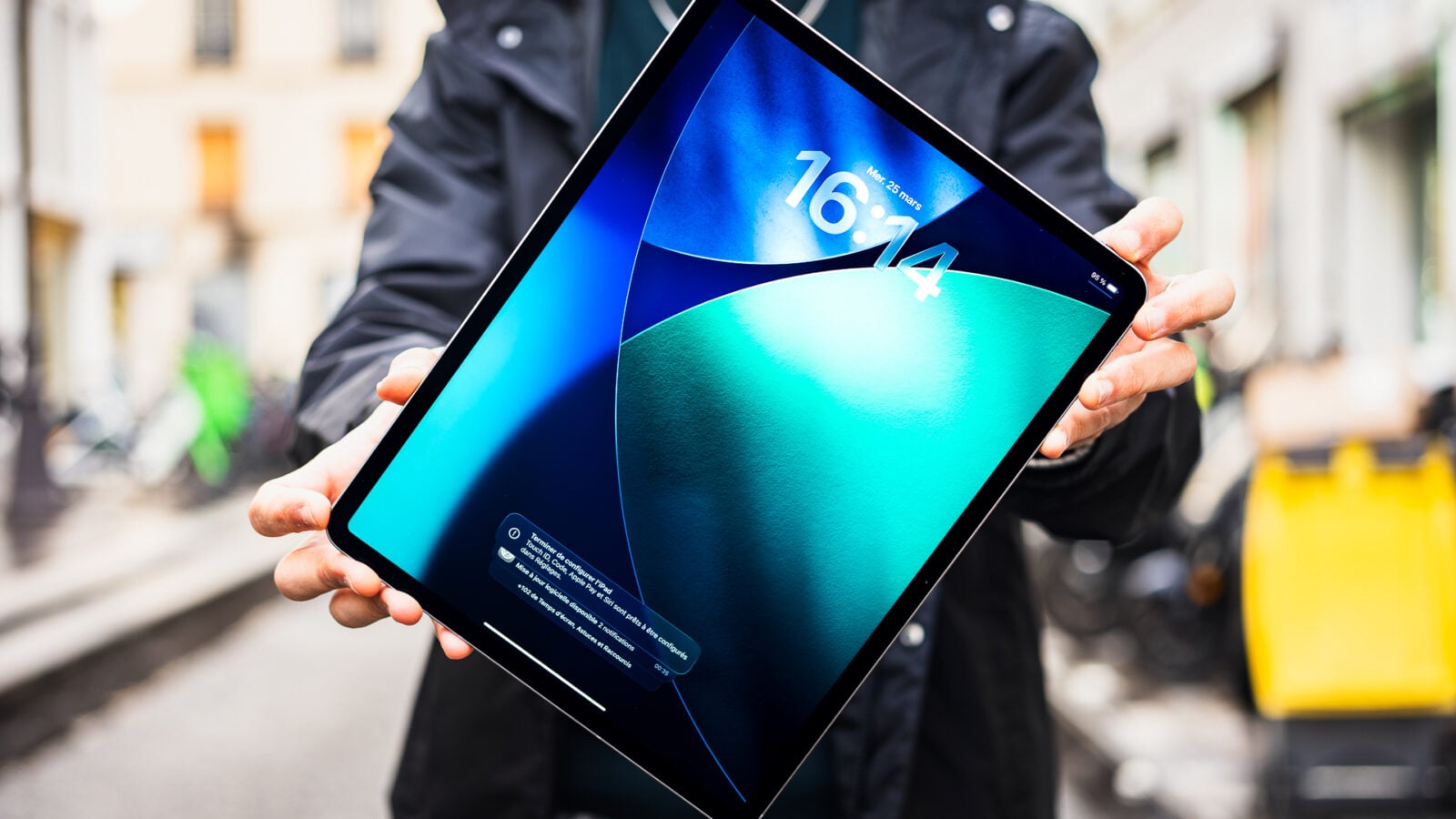
The 13-inch panel is an IPS LCD Liquid Retina running 2,732 x 2,048 pixels at 264 ppi, with an anti-reflective coating, a laminated surface, P3 support and True Tone.
Measured peak brightness reached 613 cd/m², consistent with the 600 nits Apple quotes for this size, while minimum brightness drops to 2 cd/m² — genuinely useful for reading at night without straining.
Calibration is where this display excels. Delta E 2000 measured 0.8 in both sRGB and P3; below 3 the deviation is imperceptible to the eye, so this is close to exemplary. White balance sits at 6,607 K, marginally above the 6,500 K reference but not noticeable in use. Coverage reaches 99.9 per cent of sRGB and 97.5 per cent of P3, which makes the tablet genuinely viable for photo retouching or video editing on the move. Contrast measures 1,770:1 and gloss 49 GU, rounding out a remarkable set of figures for this class.
What is missing, and what you might reasonably expect at this price, is a high refresh rate. The panel remains locked at 60 Hz, against 120 Hz ProMotion on the iPad Pro. For browsing, video and work it causes no practical difficulty. But now that Apple has extended ProMotion as far as the standard iPhone, keeping the Air at 60 Hz looks increasingly like a deliberately maintained pricing boundary rather than a technical constraint.
Cameras

The rear camera carries over unchanged: a 12 MP wide sensor at f/1.8. This is not a smartphone replacement. Daylight shots are correctly exposed with fairly natural colour, but fine texture detail is lacking and digital noise appears as soon as light drops. Autofocus uses Focus Pixels, and video records up to 4K at 60 fps — respectable for a tablet, where photography is a secondary use at best.
The 12 MP f/2 front camera is the stronger half. Positioned on the landscape edge, it is well placed for video calls from the outset, and Center Stage — which reframes automatically to keep the subject centred as they move — works effectively.
Connectivity and performance
The headline additions beyond the chip are Wi-Fi 7 and Bluetooth 6, both overdue and both meaningful in congested environments.
The M4 itself is the reason to consider this tablet seriously. It is a genuinely powerful processor with enough headroom to remain capable for years, which matters more on an iPad than raw benchmark placement — these are devices people keep for a long time.
Battery life comfortably covers a full working day.
The compromises

Several omissions are worth weighing before buying. There is still no Face ID, only Touch ID in the power button. Charging is slow, and no charger is supplied in the box. Base storage is limited to 128 GB, which is tight for anyone editing video or storing large libraries locally. There is no headphone jack, and cellular models have no physical SIM slot. The Magic Keyboard and Apple Pencil Pro are both expensive additions.
None of these is disqualifying on its own. Together they define the gap Apple has deliberately left between the Air and the Pro.
UK availability
Apple has reduced the price of the 13-inch model relative to the equivalent previous-generation configuration, which makes this generation a more attractive proposition than the last.
No UK retail listing for the M4 iPad Air could be verified at the time of writing — Amazon UK currently returns cases and accessories for it, along with Renewed M2 and M3 tablets, rather than the M4 itself — so no UK price is shown on this page.
Verdict
The iPad Air M4 is the most coherent tablet in Apple's catalogue. It takes the Pro's processor, pairs it with a display whose calibration is close to flawless, finally adds Wi-Fi 7 and Bluetooth 6, and lasts a full day — all while costing less than the equivalent model did a year ago.
The compromises are carefully calculated rather than accidental: 60 Hz, no Face ID, slow charging, 128 GB at entry, and accessories that add substantially to the total. Anyone who needs ProMotion or serious local storage should look at the Pro and accept the price.
For everyone else, this is the sensible choice — a tablet that borrows most of what makes the Pro desirable, without the part that makes it hard to justify.
Frequently asked questions
When did the iPad Air M4 come out? Apple refreshes the iPad Air every spring, and this 2026 edition follows the pattern — bringing the M4 chip already proven in the iPad Pro to the Air line.
Can the iPad Air M4 replace a laptop? It makes a genuine case: the Smart Connector takes the Magic Keyboard, the magnetic mount charges an Apple Pencil Pro, and the M4 has power to spare. The limits are iPadOS ones rather than hardware ones — covered in the multitasking section of this review.
Which size is this review about? The 13-inch model. The Air also comes in an 11-inch version with the same platform; the panel size and speaker layout are the main practical differences.
Ready to Purchase?
Check current prices and availability
Affiliate Disclosure: As an Amazon Associate I earn from qualifying purchases. Truthful Reviews may receive a commission when you buy through eligible Amazon UK or Amazon US links, at no extra cost to you. Affiliate partnerships never determine our verdicts or recommendations.