Quick Specs
Our Verdict
A tiny, well-judged dongle that adds wireless Android Auto and Apple CarPlay to a wired car: easy setup, a stable connection and one-button phone switching make it a genuinely convenient upgrade. A clear recommendation.
Research sources
Sources recorded for this page are linked below. Reported third-party testing belongs to the original publisher; it is not testing performed by Truthful Reviews.
Our editorial process
Research method, author and affiliate-independence details
Our editorial process
Research method, author and affiliate-independence details
Prepared by our editorial team using verified source material, product research, and a British-English editorial rewrite before publication.
- We review the working bundle for product facts, comparisons, and buyer-relevant tradeoffs before publishing.
- Non-English source material is translated into British English and rewritten into our house style without carrying over publication branding.
- Affiliate links and price references are handled separately from editorial judgements and never determine the verdict.
Read our full methodology: how we review
Affiliate links never determine our verdicts. Commercial relationships are disclosed separately from the editorial assessment, and we aim to keep buyer guidance clear, specific, and evidence-based.
Pros & Cons
Pros
- Adds wireless Android Auto AND Apple CarPlay to a wired car system
- Simple two-minute setup; stable, reliable connection
- One-button switching between an Android phone and an iPhone
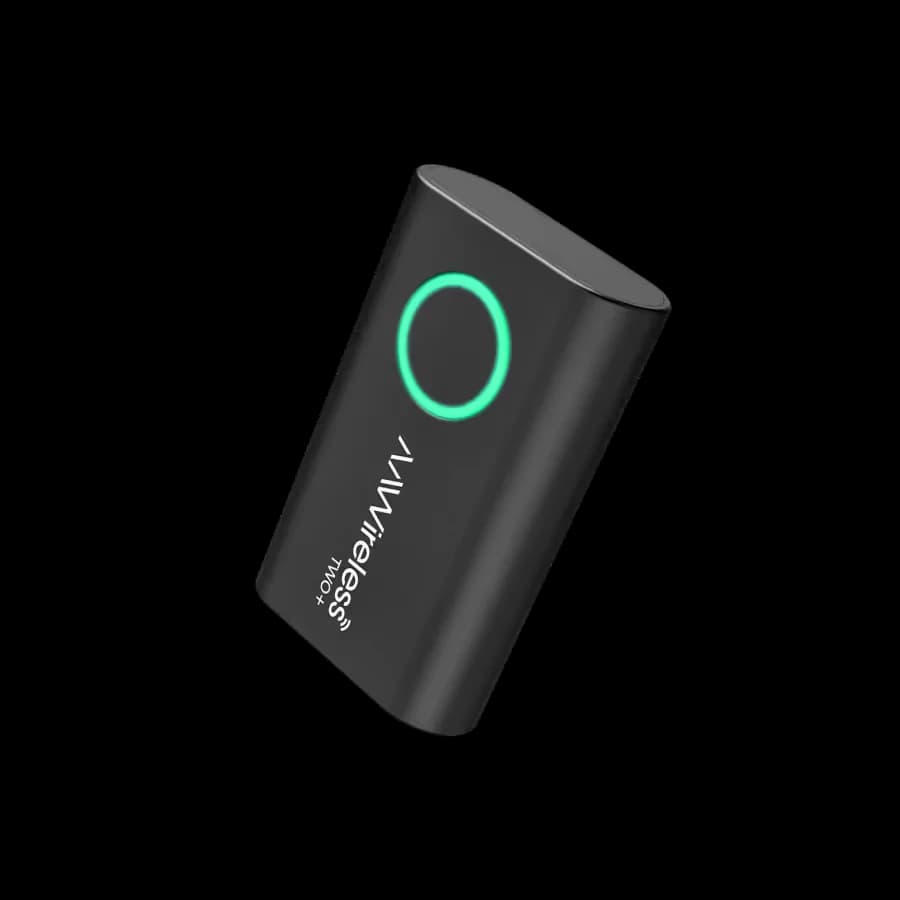
- Tiny (54.7 x 34.4 x 13.4mm, ~18g) with a clear LED-ring status
- Free companion app for firmware updates and tweaks
Cons
- Phone no longer charges over the cable (needs an inductive pad)
- USB-C-only cars need a separate USB-C-to-USB-C cable
- Occasional 20-30 second wait to connect after starting the car
- Only adds wireless — cannot retrofit CarPlay/Android Auto itself
Full Specifications
Key Features
Adds wireless Android Auto AND Apple CarPlay to a wired car system
Simple two-minute setup; stable, reliable connection
One-button switching between an Android phone and an iPhone
Tiny (54.7 x 34.4 x 13.4mm, ~18g) with a clear LED-ring status
Free companion app for firmware updates and tweaks
Many cars fitted with an infotainment system from around the 2016 model year onwards support Android Auto and/or Apple CarPlay, but usually only over a USB cable — the convenience of a wireless connection tends to be reserved for newer vehicles. A so-called "dongle" such as the AAWireless Two+ bridges that gap. The little box plugs into the car's USB port and from then on takes over the Wi-Fi link to your phone automatically, so there is nothing left to plug in and the handset can stay in your pocket. One important caveat: a wireless adapter does not retrofit Android Auto or Apple CarPlay to a car that lacks them — it simply adds the wireless option to a system that already works over a cable. This review is based on a published laboratory test, not on a hands-on trial of our own.
Two versus Two+
The AAWireless Two+ differs from the standard AAWireless Two in one key respect: it also supports Apple CarPlay, whereas the cheaper Two handles Android Auto only. That makes the Two+ especially handy in a household that mixes Android and iPhone users, while the plain Two is often cheaper on Amazon if you never need CarPlay. Once it has been set up, the dongle connects on its own, and when two paired users are in the car you can switch between their phones with a single press of the easily reached button.
Design and Controls
The Two+ is tiny, measuring just 54.7 x 34.4 x 13.4mm and weighing a shade under 18 grams — 29 grams once you add the supplied USB-A-to-USB-C cable. Cars that offer only a USB-C port will need a USB-C-to-USB-C cable instead, and depending on where the car's socket sits, being able to swap the cable can be useful. It is worth being able to see and reach the dongle while driving, though not essential. A single button carries three functions: a short press switches phones, a two-second hold starts pairing with a new phone, and a ten-second hold resets the device to factory settings. The colour of the LED ring around that button shows the status at a glance — green while the adapter boots up, flashing green as it connects to the phone, flashing blue as it links to the car's entertainment system, solid blue once connected, and purple in pairing mode.
Requirements and Setup
The requirements are straightforward: the car must already support Android Auto or Apple CarPlay, and the phone needs to run at least Android 11 or be an iPhone X or newer. Setup takes about two minutes. One tip — the phone may need to have been connected to the car by USB cable beforehand, which is the case if you previously used Android Auto over a wire. Plug the Two+ into the car's USB port; if it does not enter pairing mode (glowing purple) after booting, hold the button for two seconds. Then search for new devices in the phone's Bluetooth settings, exactly as you would for a pair of headphones or a speaker, select the entry that begins with "AAWireless-" and grant it the access permissions it asks for.
The Companion App
Alternatively, the optional AAWireless Companion App walks you through the setup clearly. It is free on the Google Play Store for Android and the App Store for iOS, and it is worth having: through it you can install firmware updates on the adapter, optimise the display for your particular car and even adjust the brightness of the LED ring. Once everything is done the ring glows a steady blue, and that is it.
Everyday Use
You only have to complete the setup once. After that, it takes around ten seconds from setting off for everything to boot and connect automatically; occasionally you may wait 20 or 30 seconds before you can control the phone from the car's screen to start Google Maps or play music. In testing, navigation and Spotify worked reliably, the sound came through the car speakers, and operation was exactly as it is over a cable, including voice commands and the steering-wheel buttons. The one thing to bear in mind is that the phone no longer charges this way unless you rest it on an inductive charging pad — though you can of course reconnect by USB cable, or simply charge the phone by cable, at any time.
Price and Verdict
The AAWireless Two+ is sold on Amazon UK, with the current verified price shown in the buying panel above. It does exactly what you would hope: setup is simple and the connection stable, and the on-device controls and status light are better than those of the rival Motorola MA1. The Plus version's special talent is that it also supports Apple CarPlay, with a single button press to swap between handsets. The everyday convenience is considerable — no more fumbling with a USB cable, and no need even to take the phone out of your pocket. It earns a clear recommendation.
Ready to Purchase?
Check current prices and availability
Affiliate Disclosure: As an Amazon Associate I earn from qualifying purchases. Truthful Reviews may receive a commission when you buy through eligible Amazon UK or Amazon US links, at no extra cost to you. Affiliate partnerships never determine our verdicts or recommendations.