There is no single best keyboard, only the one that suits how you actually work. The six below are the featured picks from a guide aimed at people who type for a living, and the differences between them are about layout, switch type and connection rather than a ranking.
The short version
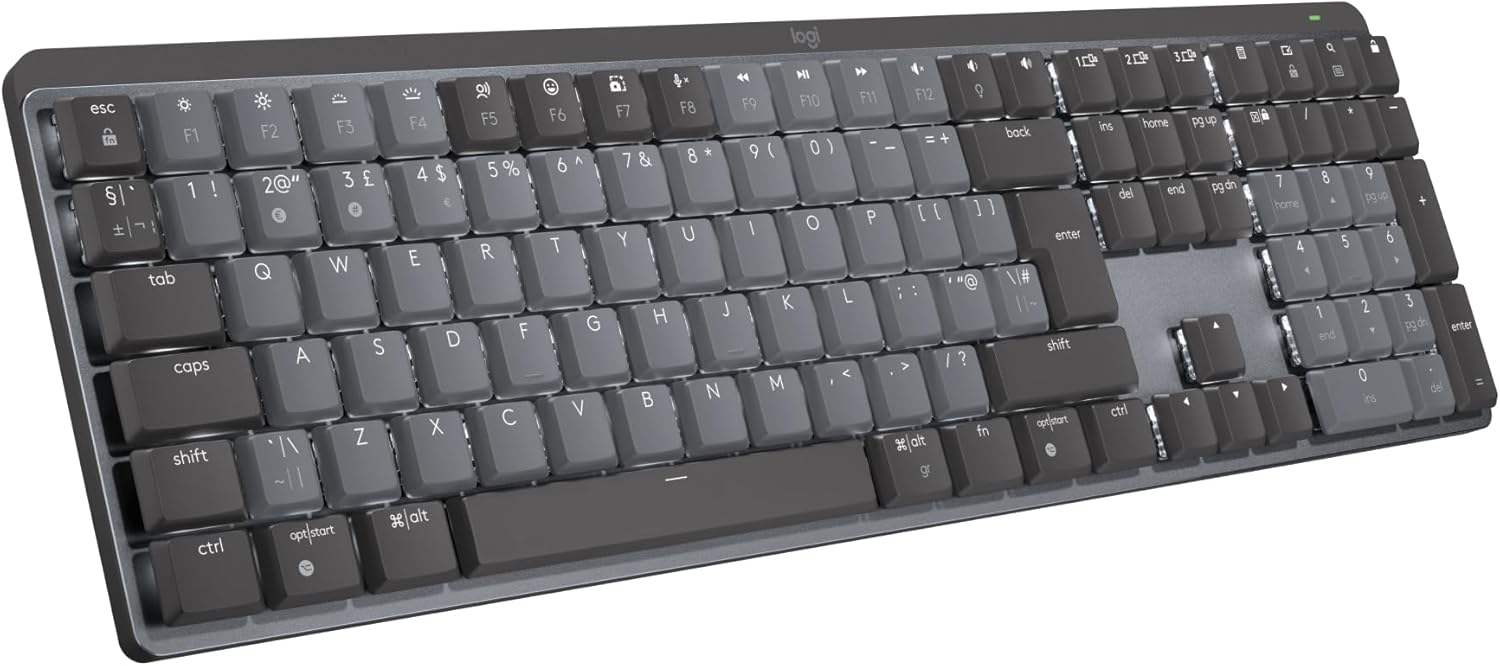
Best mechanical for work: Logitech MX Mechanical
The pick if you want a mechanical, wireless board of real quality for working rather than gaming. It is built from high-quality materials and — the part that matters in an office — it is genuinely quiet for a mechanical keyboard.
The honest limitation is the other side of that: it is not the best choice if you also want to game.
Best compact mechanical: Keychron K2 MAX
The versatile alternative to the MX Mechanical, and the choice if you want something compact without giving up build quality. It works both wired and wirelessly, carries dedicated keys for both Mac and Windows, and can connect to three devices at once.
The trade-off is layout. It uses a 75 % design, so there is no numeric keypad on the right and the spacing between keys is tighter than on a full-size board.
Best low-profile: Logitech MX Keys S
The one for low-profile typing across long working days, and the pick if your budget sits below the premium tier. It allows precise, quiet typing, which is exactly what it is for.
Two caveats worth knowing before you buy: it comes without a wrist rest, and its battery lasts only up to 10 days when you use the backlighting.
Best for Mac: Apple Magic Keyboard
The compact choice for anyone in the Apple ecosystem, and it links itself automatically to Macs. The design is compact and it now comes with a USB-C connection.
The omission is straightforward and worth weighing: it has no backlighting at all.
Best for work and play: 8BitDo Commodore
An excellent alternative for anyone who wants one board for working and gaming, and who is susceptible to nostalgia. It combines vintage aesthetics with genuinely outstanding performance.
The catch is compatibility: its official configuration software is not available for macOS, and it is not compatible with Apple machines.
Best ergonomic: Logitech Ergo K860
The ergonomic option: a split keyboard with a palm rest, designed for a natural typing posture, connecting over both Bluetooth and USB and working with Windows and Mac.
It is fair about where it saves money. Compared with the MX Mechanical, the quality of the materials is considerably lower.
Also worth knowing
If your budget is very tight, the Logitech Pop Icon Combo bundles a compact wireless keyboard with a matching wireless mouse in a distinctive design — well below the featured models on performance, but easy to carry and available in several colours. If you only need the keyboard, the Logitech Signature K650 sits at the bottom of the range.
Size: the first decision
Keyboards divide broadly into compact, tenkeyless and full size, and the label tells you what has been removed.
Compact boards come at 40 %, 60 % and 75 %. The general rule is that their keys sit close together to keep dimensions down. A 75 % imitates the typical laptop layout. A 60 % drops the keys usually found to the right of Enter. A 40 % goes further still, removing the top number row to concentrate on letters and modifiers.
Tenkeyless, at about 80 %, has no numeric pad but keeps everything else — 88 keys.
Full size keeps the lot.
Wired or wireless
Wireless buys you space, comfort and versatility: no cable length to manage, and connectivity that usually lets you pair a tablet, a television or even a games console.
What you may pay for it is some latency in registering keystrokes, and occasional difficulty registering simultaneous presses. If neither of those is acceptable — and latency matters considerably if you intend to game — or you would rather not think about charging, a wired board is the better answer.
Mechanical, semi-mechanical or membrane
Some people try mechanical keyboards and never go back, but the picture is more complicated than that.
Mechanical switches are faster and more precise, which is why gamers tend to prefer them. They are also easier to clean thoroughly and generally last longer. Against that they are more expensive, bulkier and usually noisier — though quieter switches and dampeners exist, as the MX Mechanical demonstrates.
Membrane boards are lighter, easier to carry and cheaper, and they are quieter too. The disadvantages are equally clear: less durability, less precision and a slower response.
That makes membrane a reasonable choice if you want something light and portable, and mechanical the choice if precision and longevity matter more.
Frequently asked questions
Which keyboard should I buy for writing all day? The Logitech MX Mechanical if you want mechanical switches without office-wide noise, or the MX Keys S if you prefer a low-profile board — it types precisely and quietly, though it has no wrist rest and only about 10 days of battery with the backlight on.
Which is best for a Mac? The Apple Magic Keyboard pairs automatically with Macs and now uses USB-C, at the cost of any backlighting. The Keychron K2 MAX is the mechanical alternative, with dedicated Mac and Windows keys.
What does 75 % mean? It is a compact layout imitating a typical laptop keyboard: no numeric pad and tighter key spacing. Tenkeyless, at around 80 %, drops only the numeric pad and keeps 88 keys.
Is mechanical always better? No. Mechanical is faster, more precise, easier to clean and longer-lasting, but pricier, bulkier and usually louder. Membrane is lighter, cheaper, quieter and more portable, at the cost of durability, precision and response.
Can I use one keyboard with several devices? The Keychron K2 MAX connects to three at once, and wireless boards generally pair with tablets, televisions and consoles as well as computers.
What if I want to game as well as work? The 8BitDo Commodore is the recommendation for exactly that combination — but not if you use Apple machines, since its configuration software does not support macOS.
Research sources
Sources recorded for this page are linked below. Reported third-party testing belongs to the original publisher; it is not testing performed by Truthful Reviews.