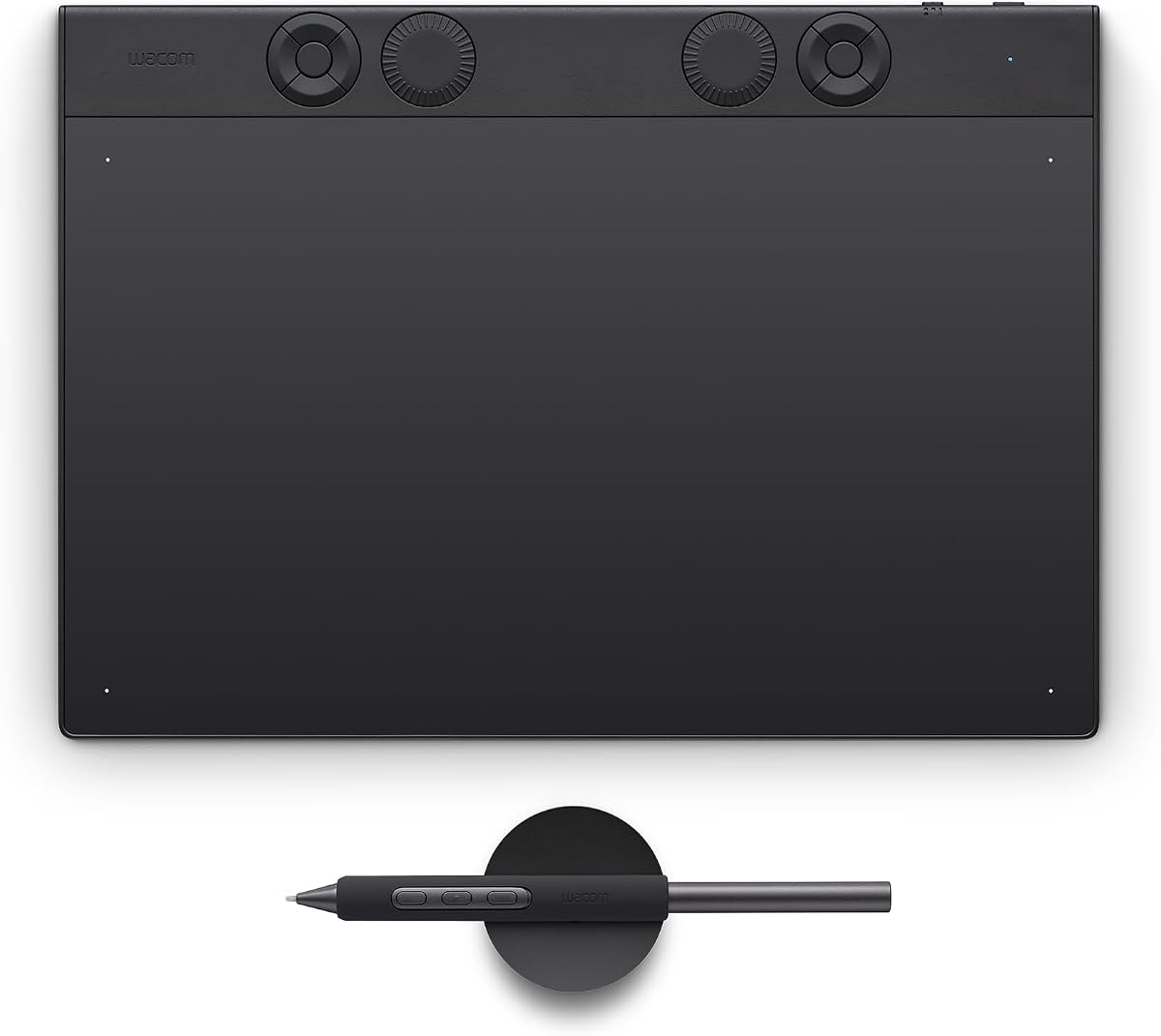
Before comparing any two graphics tablets, settle one question, because it splits the category in half: do you want to draw on a screen, or on a mat?
A pen tablet has no display. You draw on a surface in front of you while watching the result on your monitor. It takes a little practice to separate hand from eye, and after that it is cheaper, lighter, quieter and far less cluttered — one USB cable or none at all.
A pen display puts the image under the nib, so you draw directly on your work. It is the more natural way to draw and the more expensive one, and it brings a power supply, more cables and a heavier object on the desk.
Neither is better. They are different tools, and almost every disappointing purchase in this category comes from buying the wrong one. From a tested field of 36 tablets, here is how the rest of the specification sheet actually behaves.
Pressure levels are the number to ignore
Nearly every tablet on sale — including very cheap ones — advertises 16,384 pressure levels, today's usual maximum. A high count does have a real purpose: it avoids coarse, stepped transitions as you change pressure through a stroke.
But the figure alone tells you almost nothing, because the mechanics of the pen nib have to keep up with it. A tablet quoting the maximum with an unrefined stylus will not deliver finer control than one quoting less with a better pen. What separates the good from the mediocre here is pressure control in the hand, not the number on the box — and that is exactly where the most expensive tablet in the field earned its place.
Tilt, and what it actually does
Tilt recognition — up to 60 degrees — reads the angle of the stylus against the surface as a separate input. In the tested field it appears on the Wacom Intuos Pro M, the newer XP-Pen tablets and the Xencelabs newcomer, and on pen displays released from 2020 onwards it is close to universal.
It is mainly a professional feature, and the reason is specific: applications such as Adobe Photoshop map tilt onto brush behaviour, so holding the pen at an angle reproduces the way a slanted pencil shades and hatches a surface. If you do not work that way, tilt will not change your drawings. If you do, its absence is disqualifying.
Surface texture is a genuine trade-off
Drawing surfaces vary more than the marketing suggests. Some are almost completely smooth; others are noticeably roughened.
Roughened surfaces give better feedback — useful for drawing, cutting out and retouching. The cost is real: more resistance, more audible noise while you work, and faster nib wear. Smooth surfaces are quieter and gentler on nibs but can feel vague. Some of the cheaper tablets feel faintly scratchy under the stylus, which is not the same thing as textured.
On more expensive tablets you can sometimes swap the supplied surface for one that suits you better. That is worth knowing before you conclude a tablet is wrong for you.
The consumable nobody budgets for
Pen nibs are plastic and they wear out. They are tiny, trivially cheap to manufacture, and — as anyone who has bought replacements knows — that has never once translated into cheap spare parts.
So when comparing bundles, count the nibs. More included is straightforwardly better. It is also worth checking for a removal tool: on several models it is built into the pen stand and amounts to a precisely sized hole that grips a worn stub, which matters more than it sounds when a nib has worn far enough to be difficult to pull out.
Rapid nib wear is a live issue even at the top of the market — it is one of the few criticisms of the overall winner.
Screen size, if you are buying a display
There is a sweet spot, and it is 16 inches. Below it, the working area starts costing you time: an
11.9-inch display forces constant zooming for finer work and simply does not give you room to draw
freely. Above it, weight takes over — a 21.5-inch model with its pre-mounted VESA stand reaches
4.9 kg, at which point it is furniture rather than equipment and any thought of moving it between
desks is gone.
Weight matters on pen tablets too, if less dramatically. The best of them is solidly built and pays
for it at around 700 grams, and even its stylus, at 18 grams, is on the heavy side.
Lamination, parallax and lag
Two things to check on a pen display specifically.
Lamination. Most current pen displays are fully laminated, meaning the gap between the pen tip and the image layer is very small. That avoids parallax — the offset where your line appears slightly away from the nib — and it makes precise work substantially easier. It is the single biggest ergonomic difference between a good pen display and a cheap one.
Input lag. A visible delay between moving the pen and seeing the line is the flaw that makes a tablet unusable. In theory Bluetooth and wireless models are more prone to it, and older ones frequently were. In practice, across this field, nothing caused serious difficulty apart from some pen monitors — so it is worth checking on a display, and largely a solved problem on tablets.
Drivers: reassuring, with one caveat
The best hardware is worthless behind an unstable driver. The broad finding is reassuring: every device tested handled the essential functions, and all of them could be made to work with Adobe Photoshop, used as the representative Creative Cloud application.
The caveat is honest rather than evasive. Which tablet works with which of the countless graphics and image-editing applications, in which driver version, cannot be settled by any test — the number of combinations is too large and drivers change constantly. If you depend on something other than Photoshop, check the manufacturer's own pages and user forums for your specific application before buying.
The picks
Best pen tablet — Wacom Intuos Pro M. The mid-range model from the category's dominant name, and one of the most expensive boards in the field. It earns it. The driver is unmatched here — mature and genuinely feature-rich rather than merely functional — and the stylus delivers the most accurate pressure control in the test, which is the specification that actually separates tablets. Build quality is stable and high, Bluetooth runs without lag, and touch input is extensive. Nine express keys and a touch ring complete it.
The drawbacks are stated plainly: it is expensive by comparison, heavy at around 700 grams, and it goes through nibs quickly. There is also a Paper Edition variant, which is a different product rather than a colour option.
Best pen display — XP-Pen Artist Pro 16 Gen 2. A 16-inch panel at 2,560 x 1,600 — right in the sweet spot described above — with high resolution, very good contrast, perfect pressure control and excellent ergonomics, and a wireless shortcut remote included. Its strengths over the previous generation are concentrated in the new stylus and a substantially improved display. The one oddity is a slightly unusual 16:10 aspect ratio.
If you want two pens and a remote — Xencelabs Pen Tablet Medium. Solid and well thought out, with a metal back, connecting over USB or proprietary wireless that runs essentially without lag. It ships with two ergonomic pens — the second noticeably thinner with only two buttons — and can be extended with a wireless remote that has its own display. Pressure control and adjustment are very good, it runs Bluetooth 5.0 with barely any wireless latency, and the manufacturer quotes 18 hours of battery with a three-hour charge.
Be clear about the compromises: there is no standard Bluetooth, no pen stand, only three buttons in the base version, and the button placement is awkward. The bundle with the remote is expensive.
Best compact option — Ugee S640. Small, light and genuinely compact, with ten well-judged buttons and two USB adapters in the box.
Cheapest way into a pen display — Ugee UE16. A very inexpensive entry-level display with a 15.4-inch Full HD screen and an excellent price-to-performance ratio. It sits just under the 16-inch sweet spot rather than far below it, which is the right compromise to make if budget is the binding constraint.
Model names that will catch you out
This category is unusually bad for near-identical names, and three traps are worth stating.
The brand is written two ways. The source manufacturer styles itself XP-Pen; UK listings frequently show XPPen, unhyphenated. Same company.
"Artist Pro 16" is not one product. UK listings carry the Artist Pro 16 (Gen 2), a separate Artist Pro 16 without the Gen 2 designation at a considerably lower price, an Artist Pro 14 (Gen 2), an Artist 15.6 Pro V2 and an Artist 16 3rd. Only one of those is the model recommended here.
Intuos Pro is a size range, not a model. It is sold as Small, Medium and Large, all with the Pro Pen 3, at three quite different prices. The tested and recommended unit is the Medium.
Before you buy
Four questions. Screen or mat? Decide that before anything else — it determines your budget more than any other choice. What do you actually draw in? If it is not Photoshop, check driver support yourself. How much does the pen matter to you? Pressure control and stylus quality are where the money goes, not the headline pressure figure. And what is in the box? — nibs, a stand, a remote and spare surfaces are the difference between two tablets that look identically specified.
If you are choosing the screen you will look at while drawing, our best monitors guide covers that side, and best tablets covers consumer tablets, which are a different product from these.