A KVM switch lets two or more computers share a keyboard, display and mouse. The initials describe that original job, but current models often add networking, audio, card readers, charging and extra USB ports. That flexibility is useful only when the switch matches the computers, monitors and cables already on the desk.
What follows is recorded testing, translated. Nobody at Truthful Reviews has used these switches. Ten devices were included in the test; eight have named product sections with attributable findings in the recorded bundle.
KVM switch or docking station?
A basic KVM changes one set of input devices and one display between two computers. A docking station instead expands the ports available to one portable computer. Modern products overlap: the top pick is both a two-computer KVM and a 12-in-1 dock, while the smallest model below simply shares USB devices.
Start with the required topology. Count source computers and displays, then list the physical ports on each. A two-PC, two-monitor switch cannot show both computers simultaneously; it changes the whole desk between sources. A three-monitor DisplayPort model is a different product from a one-monitor HDMI switch, even if both carry the same brand.
USB-C makes this less obvious rather than more. The connector shape does not guarantee its protocol. USB 2.0 over USB-C can carry data at 480 Mbit/s but not the video expected here. USB 3.1 Gen 1 and Gen 2 reach up to 5 Gbit/s and 10 Gbit/s respectively, while compatible power delivery can reach 100 W at 20 V and 5 A. Video needs DisplayPort Alt Mode, HDMI Alt Mode or a suitable Thunderbolt implementation at every link in the chain, including the cable and switch.
The recommendations
Best overall — AV Access iDock C10
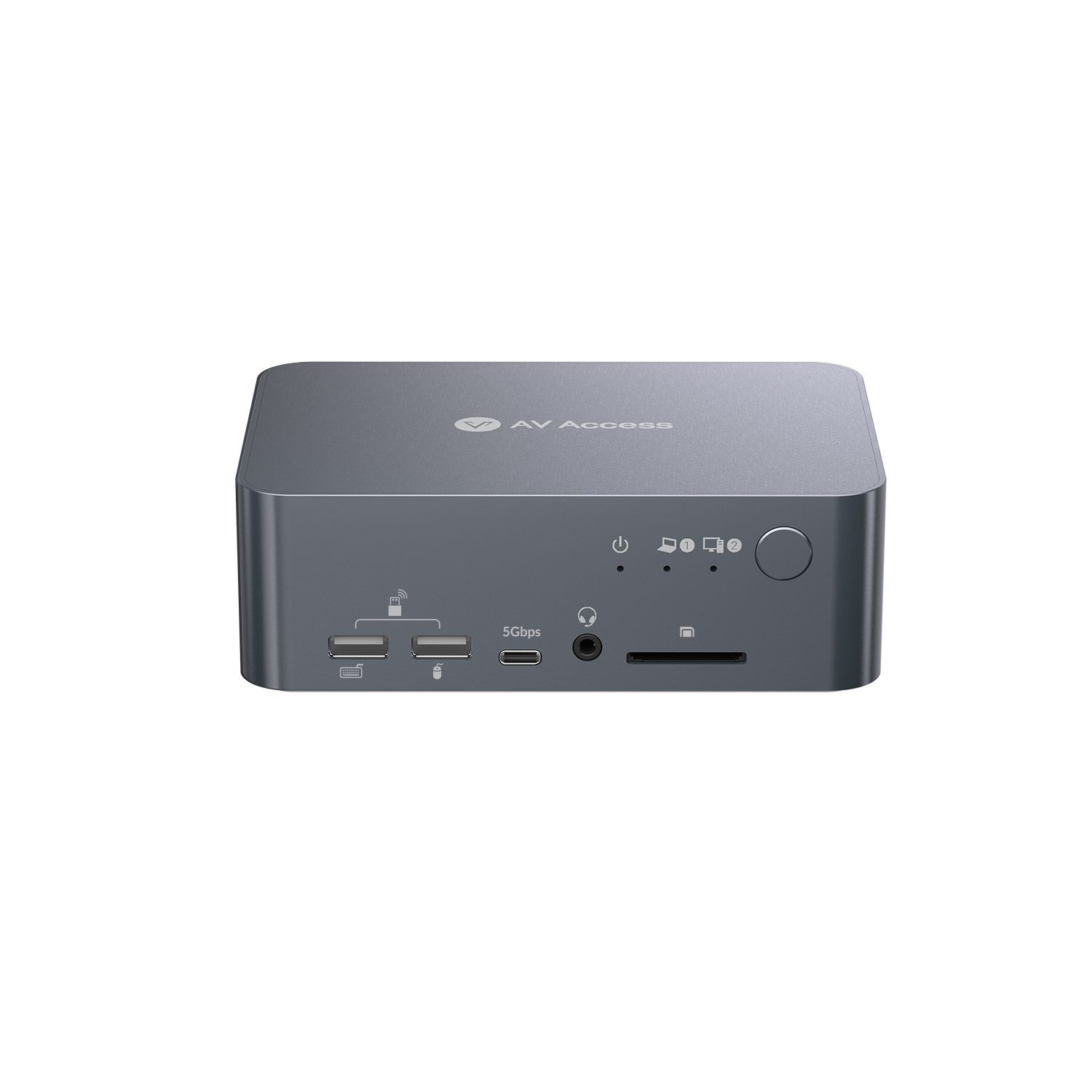
The iDock C10 combines a KVM with a compact docking station for one USB-C laptop and one desktop connected through HDMI, DisplayPort and USB. Both computers can share two monitors, keyboard, mouse, webcam, printer, network, audio and storage peripherals. The front switch changed source in two to three seconds in the recorded work.
Its port selection is the reason it wins: three USB 3.0 ports rated to 5 Gbit/s, two USB 2.0 ports, USB-C, an SD reader, Ethernet, a 3.5 mm headset socket, optical Toslink audio and two HDMI outputs. The dual-display path supports 4K at 60 Hz through HDMI 2.0 and DisplayPort 1.2a. The integrated supply can charge a connected laptop at up to 60 W.
Build quality was robust, labelling was clear and four rubber feet kept the compact case planted. An EDID emulator retained display information while changing computers, so windows did not constantly rearrange. The package also includes the required connecting cables.
The limits are specific. It cannot connect two laptops through USB-C, has no separate wired remote, and compatible Mac computers mirror rather than extend the two displays. Wireless USB peripherals could suffer interference around 2.4 GHz. Those caveats do not outweigh the broad connection set for a mixed laptop-and-desktop desk.
Search Amazon UK · Search Amazon US
Robust two-monitor alternative — AV Access KD-E10
The KD-E10 is larger and heavier, with a more utilitarian metal enclosure. It connects two computers and two monitors while adding a card slot and a separate charging outlet. Two USB ports for keyboard and mouse, headset audio, more USB connections, dual HDMI display outputs, DisplayPort, HDMI and USB host inputs, USB-C and Ethernet give it a similarly broad role.
Video worked at 4K 60 Hz, and 1080p reached up to 240 Hz when the connected display supported it. The screwed power connector cannot work loose easily. It lacks the winner's optical audio output, takes more desk space and needs a separate power supply when a laptop requires more than 60 W. Mac computers were not supported in the recorded configuration.
Search Amazon UK · Search Amazon US
Best compact choice — Ugreen Switch 15707
The Ugreen 15707 is a focused one-monitor switch for two computers. Each source connects by HDMI and USB-B, sharing an HDMI 2.0 output plus USB 3.0 peripherals. It handled 4K at 60 Hz and worked with Windows, macOS and Linux, as well as an Xbox Series during the test.
The recessed top button changed sources without a noticeable delay, while the supplied wired remote allowed the box to sit behind a monitor. Its aluminium-edged plastic body felt robust and small enough for travel. There is no USB-C laptop input, so a computer needing that path requires a compatible adapter or dock. For one display and two conventional computers, this is the tidy recommendation.