The cheapest printer to buy is rarely the cheapest printer to own, and if you print only occasionally the gap gets wider in a way most buyers never see coming.
From a field of 24 laser printers, here is what actually separates them — starting with the question most people ask first.
How a laser printer puts ink on paper
The part that matters is how the image gets onto the imaging drum. A true laser printer uses a laser, deflected across the drum by moving mirrors — that is where the name comes from.
The alternative is worth knowing about because the market is drifting towards it. An LED printer works the same way in every other respect, but exposes the drum with a fixed LED bar instead. With no moving parts it is more robust and less prone to faults, and the simpler construction generally allows lower prices. The possible trade-off is the rendering of very fine detail, which depends on how well the LED bar is built.
The second half of the answer is where the page is actually assembled, and it decides how well the printer behaves with your computer. With GDI — Microsoft's Graphics Device Interface — the printer does not compose the page at all. Applications issue drawing commands, your PC does the work, and the driver hands the printer finished raster data. Printers with their own page description language, PostScript or PCL, process the print data themselves. GDI printers are therefore potentially cheaper, but more dependent on Windows and less flexible. The technology is outdated and still everywhere — and, as you will see below, it is the one real catch on the winner.
Laser or inkjet — and the trap of the cheap inkjet
Inkjets win on purchase price, which is why so many end up in homes. The catch is that makers charge accordingly for cartridges, which can cost about as much as the printer itself.
The decisive point is not price at all. Ink cartridges dry out. If you go weeks or months between print jobs, an inkjet will be barely usable when you return to it — which is annoying and expensive in equal measure. Anyone who prints rarely should avoid an inkjet outright.
Where inkjets still genuinely win is photographs, especially if you edit your own images, and there the advice is to buy a good one rather than a cheap one. For occasional photo prints, high-street print stations and online print services generally deliver better results than a budget inkjet anyway.
So: if you can live without colour, a laser printer is usually the better answer. And in an age of phones, tablets and laptops, wireless printing is worth insisting on — though be aware that not every maker supports Apple's AirPrint, which is what lets an iPhone or iPad print without extra software.
Can a laser printer print in colour? Every pick here is monochrome, which is the normal home laser configuration. Colour lasers are their own category, and for photographs specifically an inkjet remains the better tool.
The picks
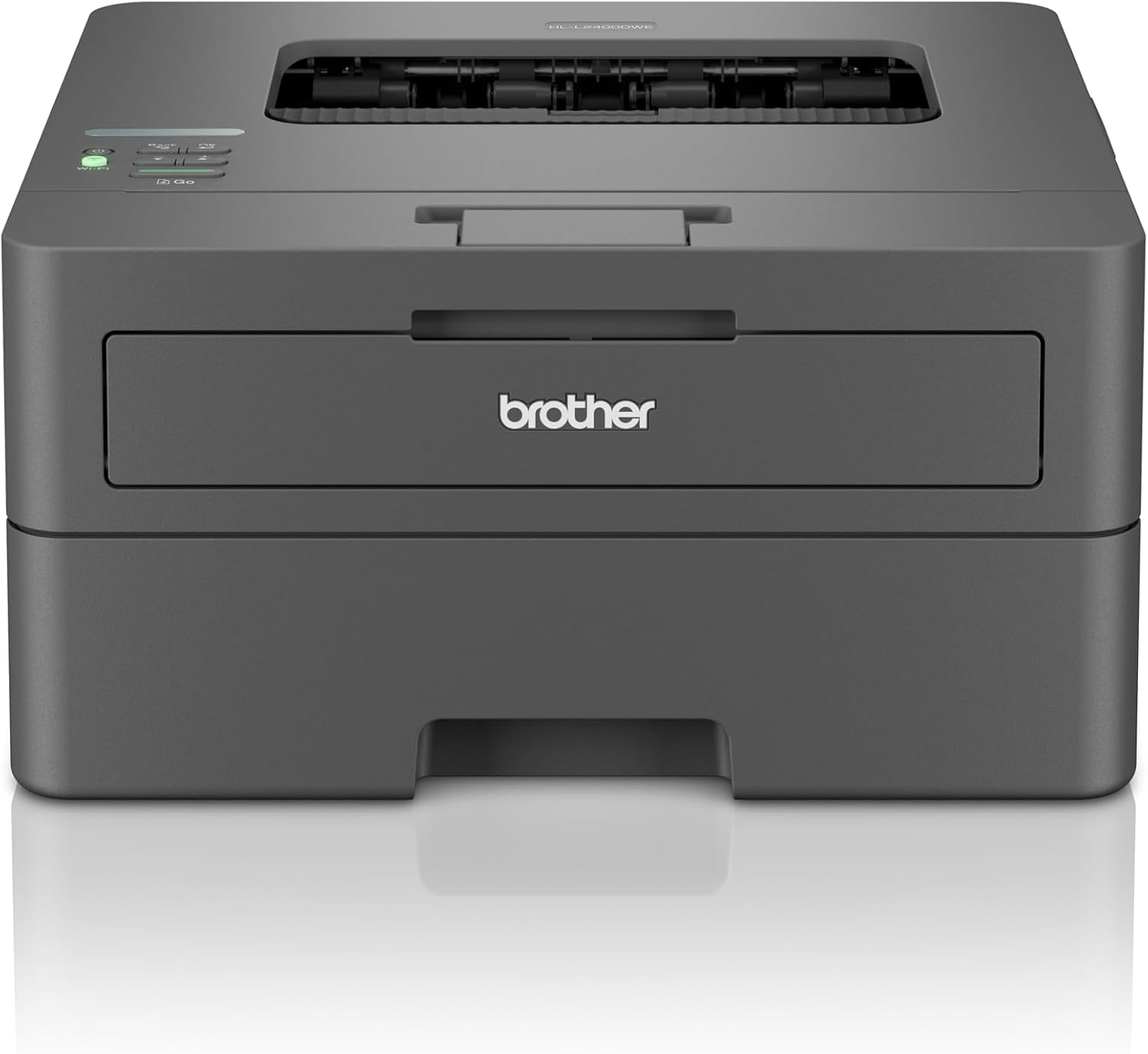
Best overall — Brother HL-L2400DW. The test winner, and a case of careful product maintenance rather than reinvention: outwardly and on paper it is near-identical to the HL-L2350dw it replaces, and because performance and print quality stayed at the same high level, it inherits the win. It is compact, flat, light and comparatively quiet, handles duplex, and stays cheap beyond the purchase thanks to moderate running costs. On paper it prints 1200 x 1200 dpi at a manufacturer-stated 30 pages per minute simplex and 15 duplex. In testing, waking from deep sleep at 600 dpi it took 34 seconds to produce ten test pages, with the first page arriving after 11 to 14 seconds; twenty pages duplex at 600 dpi took 1 minute 32 seconds. The cassette holds 250 sheets of normal 80 g/m2 paper with a 150 sheet output tray, and it will handle stock from 80 up to 230 g/m2. The limitations are real: no LAN port, so it is unsuitable for a wired network; GDI only, with the Windows dependency described above; a long warm-up; a wireless module (802.11n on 2.4 and 5 GHz at 20 MHz bandwidth) that is no longer current and slows high-resolution jobs; and poor photo output. If you want a wired connection and slightly more speed, the HL-L2445DW is dearer and about seven seconds quicker over twenty duplex pages from standby, but otherwise barely distinguishable. UK listings carry the HL-L2400DW under its exact model code.
Best for heavy printing — Kyocera Ecosys PA4000x. The recommendation for high-volume users and workgroups, and a genuinely different proposition. It takes a little longer to deliver the first or a single page — warm-up can reach 11 seconds, and ten pages from standby took 31 seconds in both normal and best quality — then sprints, at a manufacturer-stated 40 pages per minute simplex and 20 double-sided pages per minute. Combined with very low running costs and a rated duty of up to 50,000 pages a month, that is what suits it to bulk work. Paper capacity is the other half of the argument: a 250 sheet cassette plus a 100 sheet multipurpose feeder, extendable with an optional 550 sheet cassette to 900 sheets across three sources, against a 150 sheet output tray. It has a silent mode, a large display with numerous dedicated keys, and a broad set of professional and security functions that should satisfy any system administrator. The costs: it is bulky and heavy, and it emits a whistling noise on output. One important note on configuration — the version tested was the one without wireless, built consistently for wired networks; the wireless variant carries every interface you could reasonably want. UK listings carry the PA4000x exactly, though the listing text is not always in English.
Best value — HP LaserJet Pro 3002dw. The value pick of the three: compact, duplex-capable and fast, with a complete set of connections including LAN and a comprehensive driver, delivering clean results. It is rated at up to 35 pages per minute simplex and 18 double-sided pages per minute, prints at a nominal 1200 x 1200 dpi, and turned in the quickest standby result of the three: 23 seconds for ten pages of text, with best quality costing only three seconds more. Two honest gripes: there is no display at all, and the paper cassette has to be gripped from the side. Running costs suit a small office well, but genuinely heavy users and workgroups should look at alternatives with markedly lower page costs and larger paper capacities — which is exactly what the Kyocera above is for. UK listings carry the LaserJet Pro 3002dw under its exact model code.
Before you buy
Four questions. How often will you actually print? If the answer is "rarely", that alone rules out an inkjet, because the cartridges dry out. Wired or wireless? The winner has no LAN port; the Kyocera was tested in its wired form; the HP has both. Do you print in bulk? First-page speed and sustained speed are different things, and the machine that wins one loses the other. And does your household run on Windows? — a GDI printer is cheaper and less flexible, and matters more if you are on anything else.
Our best printers guide covers the wider market, our best ink tank printers guide the cheap-to-run inkjet alternative, and our best label printers guide the specialist end.
Search current listings
Laser printers on Amazon UK | Amazon.com. Best overall: Brother HL-L2400DW on Amazon UK | Amazon.com. Heavy printing: Kyocera Ecosys PA4000x on Amazon UK | Amazon.com. Value: HP LaserJet Pro 3002dw on Amazon UK | Amazon.com.
Research sources
Sources recorded for this page are linked below. Reported third-party testing belongs to the original publisher; it is not testing performed by Truthful Reviews.