Ask most people how they write on a computer and the answer is still "with Word". Microsoft's word processor has dominated the market for decades — and still costs money, either as a Microsoft 365 subscription or a one-off Office licence. For private users, that price has stopped being self-evident: several free alternatives now come remarkably close to the original's everyday feature set, and even Word itself can be used legitimately without paying. This editorial guide presents four free Word alternatives worth installing, explains the genuinely free route into Microsoft's own Word, and covers what Windows and Apple users already have on their machines.
One expectation to set honestly: in businesses, compatibility with Microsoft Office is silently assumed, and swapping it out can cause real friction. At home, the calculation looks completely different — and mostly favours the free options below.
The Short Version
- The classic alternative — LibreOffice Writer. The open-source standard: a complete, permanently free office suite whose word processor covers practically everything home users need.
- For Google households — Google Docs. No installation, effortless sharing and team editing, and AI assistance built in — at the price of working online and on Google's servers.
- The suite alternative — SoftMaker FreeOffice. Word, spreadsheet and presentation stand-ins with strong Microsoft-format compatibility, working fully offline, with a clever touchscreen mode.
- For distraction-free writing — Writemonkey. A minimalist full-screen editor that strips writing down to the words themselves.
- Word itself, free — Microsoft's web version. The official browser edition of Word costs nothing with a Microsoft account; it is slimmed down, but sufficient surprisingly often.
The Classic Alternative: LibreOffice Writer
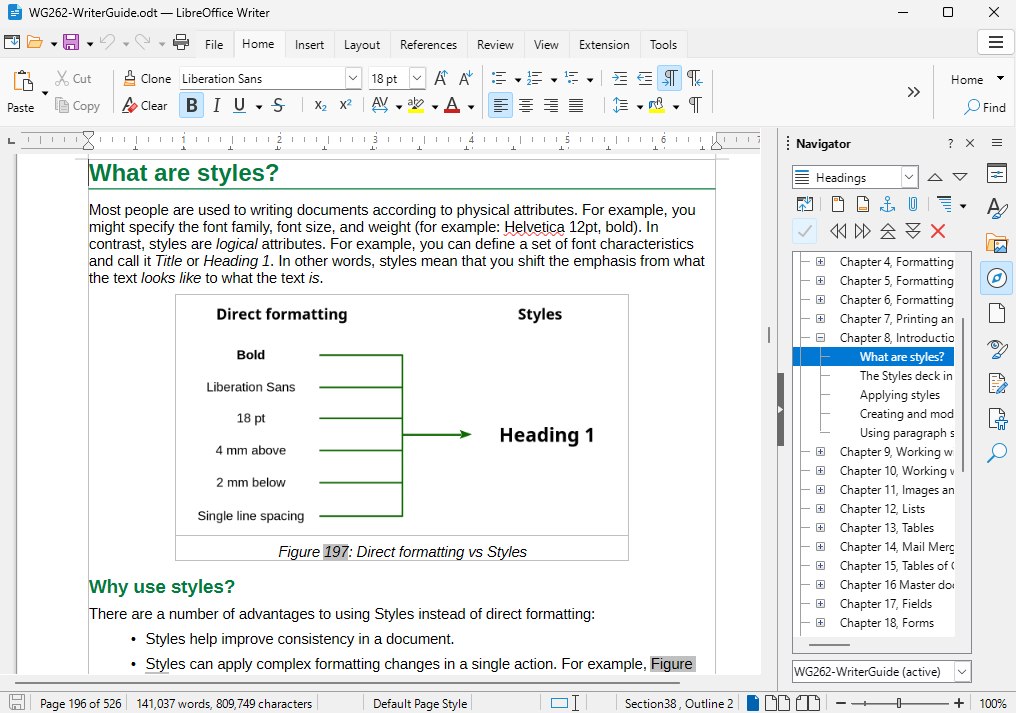
Writer, the word processor inside the open-source LibreOffice suite, is the default answer to the Word question. The suite is completely free — no trial periods, no feature gates — and bundles a spreadsheet, presentation software and a genuinely good drawing program alongside the word processor. Functionally there is room to run riot: for private use it is an unreserved recommendation, and even in a work context the feature set itself rarely falls short.
The honest limits are compatibility and habit. Microsoft's formats are supported and mostly round-trip cleanly, but collaborative documents built in Word can shift their layout when opened in Writer — irritating exactly when colleagues in other companies assume Office. And long-time Word users face an adjustment period with the different menus. One further tip from experience: the better-known OpenOffice also contains a Writer, but LibreOffice is the better-maintained project of the two.
For Google Households: Google Docs
Google Docs skips installation entirely: it runs in the browser, and since a Google account already exists on most phones, the barrier to entry is effectively zero. Its strengths mirror Word's own online edition — sharing a document is trivial, simultaneous team editing simply works, and Google's Gemini AI is integrated for generating and reworking text.
The trade-offs are structural rather than fixable. Documents live on Google's servers, editing requires being online, and against the Word desktop version the feature set is visibly slimmer. Whether any of that actually hurts depends entirely on your documents — trying it costs nothing, which is rather the point.
The Suite Alternative: SoftMaker FreeOffice
FreeOffice from the German developer SoftMaker is the pick for people who want a whole office suite that behaves like the familiar one. It bundles stand-ins for Word, Excel and PowerPoint and has committed itself squarely to compatibility with the Microsoft formats. Unlike the browser services it works fully offline — on the train as easily as at a desk — and it detects touchscreen use, enlarging icons and spacing so that working on a tablet with fingers is genuinely practical.
The costs of "free" here: a one-time registration with name and e-mail address is required, and the gratis version trims some features compared with SoftMaker's paid suite. For a complete, polished, Microsoft-compatible package at zero euros, it stands beside LibreOffice as the other serious full-suite answer.
For Distraction-Free Writing: Writemonkey
Writemonkey answers a different question: not "how do I replace Word's features?" but "how do I stop being distracted by them?". The free editor opens as a stark full-screen writing surface — by default light text on black, adjustable — with no ribbons, no icon forests, no sub-menus competing for attention. The essentials survive: clipboard, page setup, printing.
It offers by far the fewest features of the four alternatives, and that is precisely its value. For long-form drafting, journaling or anyone who catches themselves formatting instead of writing, the minimalism is the feature. Note the interface is English-language.
Using Word Itself for Free
The route many people miss: Microsoft offers Word officially free of charge as a web application. A free Microsoft account is all it takes, and Word — alongside Excel, PowerPoint and OneNote — opens directly in the browser under the Microsoft 365 banner. Documents save to the OneDrive cloud, and sharing and co-editing work in the familiar Microsoft way.
The browser Word is slimmed down against the paid desktop version — advanced layout, macros and some review tooling are absent — but for letters, applications, essays and everyday documents the range is sufficient surprisingly often. The pragmatic path: start with the free web Word, and only if you hit its ceiling, pick one of the fuller alternatives above.
What Windows Ships With — and What It No Longer Does
Windows itself carries no real Word alternative any more. The bundled Editor (Notepad) writes raw text and nothing else, and the old middle-ground answer has quietly disappeared: WordPad is no longer part of Windows 11, its development has been discontinued, and Microsoft does not offer it for reinstallation through its store — where only third-party substitutes remain. Anyone on a fresh Windows machine genuinely needs one of the downloads above for formatted documents.
The Apple Route: Pages
Mac, iPhone and iPad owners already own a capable Word alternative: Pages ships free with Apple devices, alongside the Numbers spreadsheet and Keynote presentation apps. Its strengths are an intuitive, distraction-light interface with an emphasis on layout and design, seamless synchronisation through iCloud, high-quality templates and new AI writing tools that help with formulation.
The familiar caveat applies double here: exporting to the Word format can introduce formatting errors, collaboration with non-Apple users is often awkward, and some advanced functions for complex academic documents are missing. For most private users' writing, Pages does the job comfortably — within the Apple world.
How These Recommendations Were Chosen
This is an editorial software guide, not a laboratory comparison: the selections rest on independence, everyday usability and value — tools that work reliably, hide no costs and remain approachable from beginner to professional. Version details and feature sets were checked against the current releases at the time of writing.
Frequently Asked Questions
Is LibreOffice really compatible with Word files?
Largely, yes — documents open, edit and save in Microsoft's formats. The friction appears in collaborative work: complex Word layouts can shift when they cross between programs, which matters in offices and rarely at home.
Can I work offline with these alternatives?
LibreOffice, FreeOffice and Writemonkey are classic installed programs and work entirely offline. Google Docs and Microsoft's free web Word both require a connection — their collaboration strengths are the flip side of that dependence.
Do I still need to pay for Word at all?
For most private purposes, no. Microsoft's own free web version covers everyday documents, and the installable alternatives above cover the rest. Paying makes sense chiefly for professional use, advanced features or guaranteed format fidelity with Office-based collaborators.
Which alternative should students choose?
LibreOffice is the safe default — free forever, offline, and capable of handling long documents with footnotes and bibliographies. Pair it with the free web Word for submitting in guaranteed-clean Microsoft format, and it runs happily on any machine in our laptop guide, while FreeOffice's touch mode suits the tablets we recommend.
The Bottom Line
The Word question has four good free answers and one official loophole. LibreOffice Writer remains the complete, permanent, offline standard; FreeOffice matches it with a suite built around Microsoft-format fidelity; Google Docs wins wherever sharing matters more than features; and Writemonkey serves writers who want fewer features on purpose. Microsoft's free browser Word undercuts them all for casual use — and between it and the alternatives, the only people who still need to pay for a word processor are the ones whose employer already does.