The specification everyone shops on — DPI — is the one you should worry about least, because almost every gaming mouse lets you change it. What you cannot change after purchase is the shape in your hand.
Here is what actually separates gaming mice, and eight models worth considering.
Optical or laser sensor?
A genuinely contested question. In general, laser sensors offer more precision in dots per inch, while optical sensors give better control at high speed. For everyday work the difference is imperceptible; in situations demanding full precision while moving fast — first-person shooters above all — the optical sensor is the one to want. The surface you play on also affects both control and speed, so the mat is part of the system rather than an accessory.
DPI, and why it matters less than you think
A useful pedantry first: DPI (dots per inch) comes from the printing world. The more accurate term for a mouse is CPI (counts per inch) — the steps a mouse registers over an inch of travel — but since every maker quotes DPI and only some quote CPI, DPI is the figure you will actually see.
What it means in play: the higher the DPI, the less you move the mouse to cross the screen. That points in opposite directions by genre. For precise control of a character or a weapon sight in a shooter, lower DPI serves better. For a MOBA such as League of Legends, higher DPI and its extra speed suit the game.
But do not agonise over the number: gaming mice are configurable almost by definition, so you will tune this to your games and taste. The refinement, if you want to squeeze the last from it, is the mat — a "Speed" surface for MOBA travel, a "Control" surface for shooter precision.
Buttons, profiles and ergonomics
The number and arrangement of configurable elements is the real difference between a gaming mouse and a standard one, which is far more limited. Beyond adjusting DPI, you get buttons to program actions and shortcuts, plus lighting options where fitted. Choose the mouse that lets you store movements and actions in a way you find fast and comfortable.
Then ergonomics, which matters more the more you play. Intensive players spend many hours at the desk, so posture that avoids straining muscles and joints is essential. Designs differ enormously in shape, texture, size and weight — some models include a system of weights so you can tune for fluidity or precision. There are right-handed designs and fully symmetrical ambidextrous ones. Nothing substitutes for trying a mouse first; failing that, read the comments of players who play what you play.
Wired or wireless? Wireless once meant compromise on speed and responsiveness. Technical advances have changed that — cordless mice now play in the same league — though a wireless model will generally cost more.
Match the mouse to the genre
- General-purpose mice come in many shapes and sizes, and their strength is balance across different tasks. For eclectic tastes they are the sensible pick.
- Shooters (Call of Duty, Valorant, CS:GO) want high speed with precision retained during movement. Some FPS designs add a sniper button under the thumb that temporarily drops the DPI for careful aiming.
- MMO and MOBA titles (World of Warcraft, Final Fantasy XIV, League of Legends) suit bulkier, versatile mice carrying a lot of buttons for executing in-game actions quickly.
The picks
Logitech G203 Prodigy. A basic gaming mouse with one of the best value cases in the selection, especially for beginners and occasional players. Cheaper mice exist, but this one brings quality software, a very comfortable shape and solid construction: an optical sensor spanning 200 to 8,000 DPI, 85 grams, right-handed, over USB.
HyperX Pulsefire Core. The tight-budget option that still performs, combining precision and speed in a simple, functional design with good finishing. 200 to 6,200 DPI and 87 grams, with customisable RGB lighting through the maker's own software.
Corsair Ironclaw RGB. The choice for large hands — a substantial mouse at 105 grams (not adjustable) reaching 18,000 DPI, with high precision from its sensor and a covering of several materials that gives it a distinctive, firm, comfortable texture. Dynamic RGB backlighting and durable OMRON switches. A wireless variant adds several more buttons.
Razer DeathAdder V3. Third-generation optical sensors and switches, an ultralight ergonomic design at 59 grams, and a Focus Pro 30K sensor — 30,000 DPI, and capable even on glass — with latency of just 0.125 ms. A strong all-round experience across genres. The UK listing confirms the 59-gram weight and 30K sensor.
Glorious Gaming Model O. For anyone who wants lightness, speed and control, and a favourite among shooter players. The design is built to cut weight, gain precision and survive use: 68 grams, adjustable DPI to 26,000, a Pixart sensor, wireless over 2.4 GHz or Bluetooth, and up to 71 hours of battery. A more recent generation exists at a considerably higher price.
Razer Naga V2 Pro. The MOBA and MMO specialist, offering precision and up to 20 customisable buttons for programming different functions — with online configurations published for the most popular games. It is the heavyweight of the group at 134 grams, connecting over Bluetooth.
Logitech G502 X Lightspeed. The evolution of a reference gaming line: lighter and more precise than previous versions, standing out for sensor quality and precision, customisable weight and configuration options generally. 100 to 25,600 DPI, 11 buttons, 106 grams as configured, working over USB or 2.4 GHz wireless. A top model on specification — and on price.
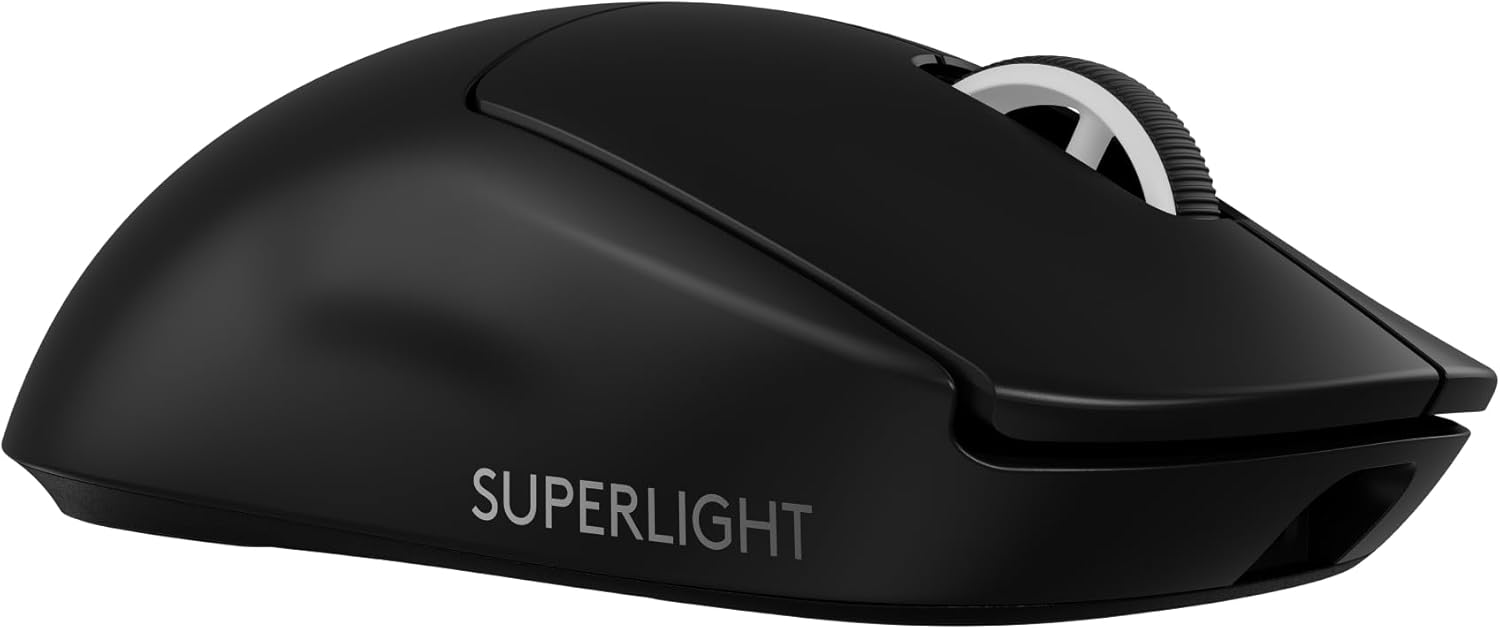
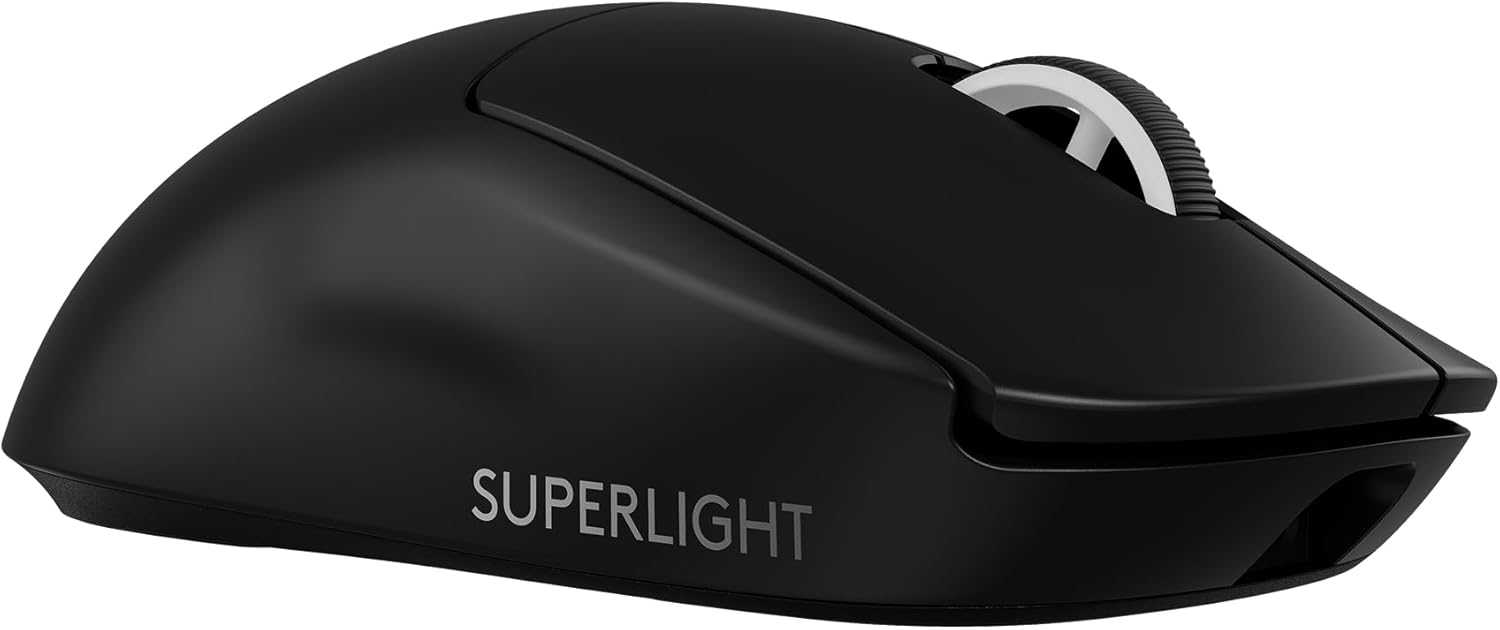
Logitech G PRO X Superlight 2. Its strength is the HERO 2 sensor, delivering a fast, lag-free experience reinforced by low weight: 60 grams, 100 to 44,000 DPI, five buttons, wireless, and up to 88 hours of use. A comfortable conventional shape with good grip and durability. The UK listing corroborates the 60-gram weight, 44K sensor and an 8 kHz report rate.
Before you buy
Four questions. Which genre do you actually play? Shooter, MOBA/MMO or everything — each has a shape and button count above. How big is your hand? One pick here exists specifically for large hands, and shape is the thing you cannot reconfigure later. Wired or wireless? Wireless is now genuinely competitive, at a price. And do you want adjustable weight? — two of these let you tune it, and it changes the feel more than the sensor does.
The rest of the desk lives in our best keyboards guide, and our best gaming headsets guide covers audio.
Research sources
Sources recorded for this page are linked below. Reported third-party testing belongs to the original publisher; it is not testing performed by Truthful Reviews.