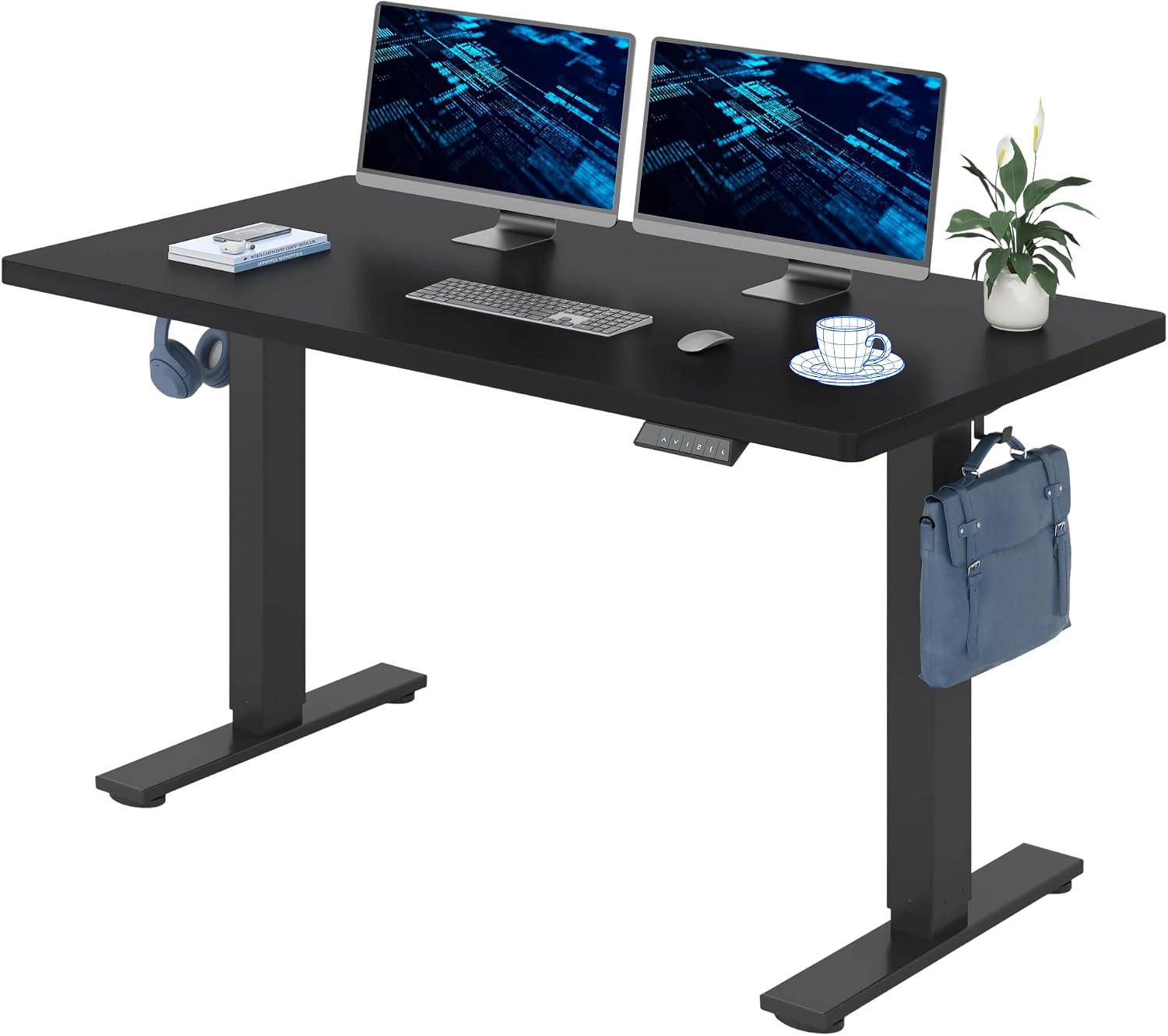
Even the most comfortable office chair becomes uncomfortable eventually, which is why height-adjustable desks keep appearing in more offices. A sit-stand desk is a simple way to build a bit of movement into the working day. It is not a cheap swap, though: an electrically adjustable desk in standard configuration averages meaningfully more than a conventional one, before you add cable trays, baskets or channels, which mount up quickly. These four came through a hands-on comparison, alongside seven more that were also tested.
The Short Version
- Best overall — Boho Office Basic Line. Rock-solid even at full extension, quick to build and very fast to raise and lower.
- Best for the home office — Ofinto Rise. Stable, well made and broadly featured, but only reaches about 1.20 metres.
- Best with cable management — Flexispot E7 Pro. A complete set with cable tray and electronics cover, and faultless collision protection.
- Best for work and gaming — Secretlab Magnus Pro. Integrated cable management, a built-in socket and a control panel set into the top.
Best Overall: Boho Office Basic Line
The Basic Line stands very stably even when fully extended, is quickly assembled and travels up and down extremely fast. On stability it came out best: at its highest position — nearly 130 centimetres — it can hardly be knocked off balance, and in sitting position it is almost as solid as a conventional fixed desk.
It has the usual functions of a height-adjustable desk. Up to three positions can be stored, automatic raising and lowering can be activated, and the collision detection reacts quickly. The control panel is clear and easy to get to grips with: holding the S key for eight seconds activates the child lock, after which trapped fingers or accidental presses are no longer possible, and holding S again releases it. The memory function stores up to three different heights — drive to the position you want, press S, then choose the number key to store it under. More than three is rarely necessary; most people use two, one for sitting and one for standing.
Small details show that someone thought about it. You can set the desk to travel automatically to a stored position at the press of a button, but you have to enable that first; if it is not enabled, you hold the key down until the desk arrives and stops. The drawbacks: there is no cable management, and the control panel is very sensitive, so accidental activation is not out of the question. Programming the sensitivity of the collision sensor is also somewhat awkward. None of that changes the fact that this is a solid desk for an office or home office at a comparatively reasonable price. Search on Amazon UK or search on Amazon US
Best for the Home Office: Ofinto Rise
A solid choice for working from home. Like the overall winner it stands very stably even at maximum height, and there is nothing to criticise in the build quality. A rocker switch makes it simple to operate, and you do not have to do without comfort functions such as stored heights, automatic travel or a key lock. The desk also reminds you to stand up: a gentle vibration prompts you at intervals of 30 minutes, 40 minutes or 50 minutes.
The one significant limitation is reach: with a maximum height of just under 1.20 metres it is not suitable for very tall people. Given that average adult height is 1.73 metres, or 1.66 metres for women and 1.79 metres for men, that will suit most people, but it is worth measuring your own standing desk height before ordering rather than assuming. Search on Amazon UK or search on Amazon US
Best With Cable Management: Flexispot E7 Pro
As a complete set with cable tray and a cover for the electronics, the E7 Pro makes few compromises. There is nothing to fault in the build quality, the collision protection works impeccably, and the motors carry the top up and down securely.
The reservations are cosmetic and acoustic. The black top is prone to fingerprints and water rings and may be too small for some. And although the E7 Pro travels quietly, the deep humming could bother sensitive ears. The cable channel is also awkward to route into. If tidy cabling is what has put you off a sit-stand desk before, this is the one that solves it in the box rather than as an accessory. Search on Amazon UK or search on Amazon US
Best for Work and Gaming: Secretlab Magnus Pro
If you work from home and want the transition from the working day to gaming to be seamless, this is the one to look at. It is not a bargain in its standard configuration, but almost everything has been thought of. Behind the top sits a cable tray with a cover that stays easily accessible at any time. The power cable for the motor runs inside a column, with a socket integrated at the top to supply the electronics. The control panel is set into the top itself, so you cannot knock it accidentally with a chair armrest — a genuinely useful detail that the cheaper desks here do not have.
It is also quiet in operation. The compromises: the top is not very deep, and when fully extended the Magnus Pro is not quite as stable as the other desks here. Search on Amazon UK or search on Amazon US
Also Tested
Seven further desks went through the same comparison without making the final selection: the Ergolutions Primus, the Ofinto Elevate, the Ergotopia Desktopia One and Desktopia Pro X, the Flexispot E7, the Oka Easyup and the Steelcase Solo.
Electric or Manual?
Alongside electrically driven desks there are manually adjustable ones that raise on a crank. Those save you a socket and are a real option if you rarely change the height.
Top and frame — the lifting columns, motor and feet — are often sold together. The advantage is that the elements are matched, so the motor can safely lift the weight of the top, and they arrive partly pre-assembled, which saves time and frustration during the build. It can be worth buying the two separately, though, either to save money or to reuse a top you already own.
Assembly is generally straightforward even for the practically challenged, and took around 30 minutes on the desks here: align the frame on the top and fix it, wire the lifting columns to the motor, connect the control unit, then turn the desk over — get a second person for this — manoeuvre it into place and plug it in.
Height, Controls and Collision Detection
Electrically adjustable desks typically span from about 60 centimetres to 120 centimetres. Look closely at what that figure refers to, because manufacturers often quote the height of the frame without accounting for the top; depending on thickness, that adds another two to three centimetres.
Most work the same way: the control unit starts the motor, which moves the top. The console usually sits under the top, where it can get in the way of a chair's armrest. In the premium segment you also find tops with the control unit set into them, which can get expensive if you want to replace the top or the electronics fail. The simplest solutions are levers pushed up or down to control direction; more common are panels with buttons or capacitive touch keys. Some desks also pair with a phone over Bluetooth so you can control the desk or set daily standing targets in an app — in practice that turned out not to be necessary, not always to work as intended, and rarely to add much.
The console normally lets you store positions so you do not have to adjust the height by hand every time. The memory function is useful, as are a key lock, a reminder function and automatic travel at the press of a button, though those are often not standard. Being able to set your own minimum and maximum heights can also be sensible if you share the space with a pedestal unit, a sloping ceiling or a window sill.
Keep the area above and below the top clear. Almost every adjustable desk has sensors that react to pressure, so if a chair back or a child ends up under the desk it stops and reverses a few centimetres. That does not always work as it should, and in the worst case the desk tips with the computer, monitor and coffee on it. It is worth reading the manual to activate collision detection or adjust its sensitivity, which is possible on many desks.
Wobble and Space
Desks with two lifting columns will wobble when extended, and the higher the top goes, the more it moves. With only two columns that is not entirely avoidable by construction.
Size matters as much as height. Occupational-health guidance recommends desktops of at least 160 x 80 centimetres, while the relevant standard sets 120 x 80 centimetres; at home there is not always space for either, which is why smaller tops are worth testing too. Expect to need more room, too. Cabinets or shelves should no longer be mounted above or below the desktop, and you have to park the office chair somewhere when you want to work standing — unless you enjoy feeling the seat against the backs of your knees. An adjustable desk also needs at least two and a half to three centimetres of clearance on every side from shelves, cupboards and walls, not only where cables run over the edge rather than through a cable outlet in the top. It takes very little for something to snag and sweep a monitor or a phone off the desk.
One more thing the specification sheets do not tell you: standing for long periods on a hard floor stops being pleasant, and eventually the desk simply gets used in the sitting position again. An anti-fatigue mat is the cheap fix.
Extras Worth Buying, and Extras That Are Not
Tidy cable management often costs real money, and prices for trays, baskets and nets vary considerably between suppliers. Boho Office, for instance, sells a folding 107 centimetres cable tray as an optional extra for its desk. It is worth looking beyond the desk maker's own shop — equivalent solutions in a general online shop, a DIY store or a furniture shop are often cheaper.
RGB lighting, magnetic cable guides, PC holders, "special" power strips: there is almost no limit to the accessories on offer. Do not be swayed by the checkout-aisle add-ons; ask whether the part is genuinely necessary.
How Often Should You Actually Stand?
Various concepts circulate under names such as 20-8-2, 50-10, 40-15-5, 60-30-10 or the Pomodoro technique, and ergonomic furniture makers advertise with them enthusiastically. They all hide a similar idea: divide a period — usually 60 minutes — into smaller units, each spent sitting, standing or walking about. So 40-15-5 means 40 minutes sitting, 15 standing and five minutes moving around.
Occupational health guidance recommends a routine along these lines: two to four changes of posture per hour, with standing phases lasting no longer than half an hour at a stretch, alongside ergonomic furniture and correct positioning of mouse and keyboard. If you find that hard to keep up, some desks offer a reminder function — after the stored interval the control panel vibrates or lights up to prompt you.
What sounds simple in theory looks different in practice. Colleagues who have used height-adjustable desks for a while, at home and in the office, observe that the standing position gets used less and less as time goes on. Whether dynamic sitting, occasional standing or five minutes of movement genuinely improves productivity and motivation is not something this comparison can answer — the phases of feeling more focused probably owe more to the short breaks themselves than to the desk.
Frequently Asked Questions
Which height-adjustable desk is best? The Boho Office Basic Line, mainly on stability: it stays steady even at nearly 130 centimetres, builds quickly and moves fast, at a comparatively reasonable price.
What matters most when buying one? Stability at full height, the height range including the thickness of the top, whether collision detection can be adjusted, and whether cable management is included or sold separately.
What height range do I need? Most electric desks cover about 60 centimetres to 120 centimetres of frame height, plus two to three centimetres for the top. Check your own standing elbow height against that — the Ofinto Rise, for instance, stops just under 1.20 metres, which is short for taller users.
Are two columns enough? They are the norm, but expect wobble that increases with height. If you type hard or run two large monitors, that movement is the thing most likely to annoy you.
Do I need the app? No. Bluetooth control and daily standing targets sound useful but did not work reliably and rarely added value. A memory button and a reminder function do more.
How much extra space does one need? Allow at least two and a half to three centimetres clearance on every side, plus somewhere to park the chair while you stand, and keep the area above and below the top clear.
This is an editorial buying guide. None of the four desks here was listed on Amazon UK under its exact model name when we checked on 2 August 2026 — several of these makers sell direct — so the links above run a live search rather than quoting a price, and no pound figures appear in this guide. Desk pricing varies widely by configuration, so confirm the specification and the total, including any cable management, before ordering.