Laptop webcams are, almost without exception, only conditionally worth recommending: manufacturers fit low-resolution cameras to save money, and the results look pale, soft and washed out. An external webcam gives you a far better picture and more freedom — you can position it where you like and fine-tune the angle on its hinge. Here is what a full test found.
The short version
- Test winner — Insta360 Link 2 Pro. The best image quality in the test, with a motorised gimbal that keeps you in frame. Aimed at professionals.
- Price tip — Aukey PC-LM1E. The genuine value choice, with compromises you need to know about.
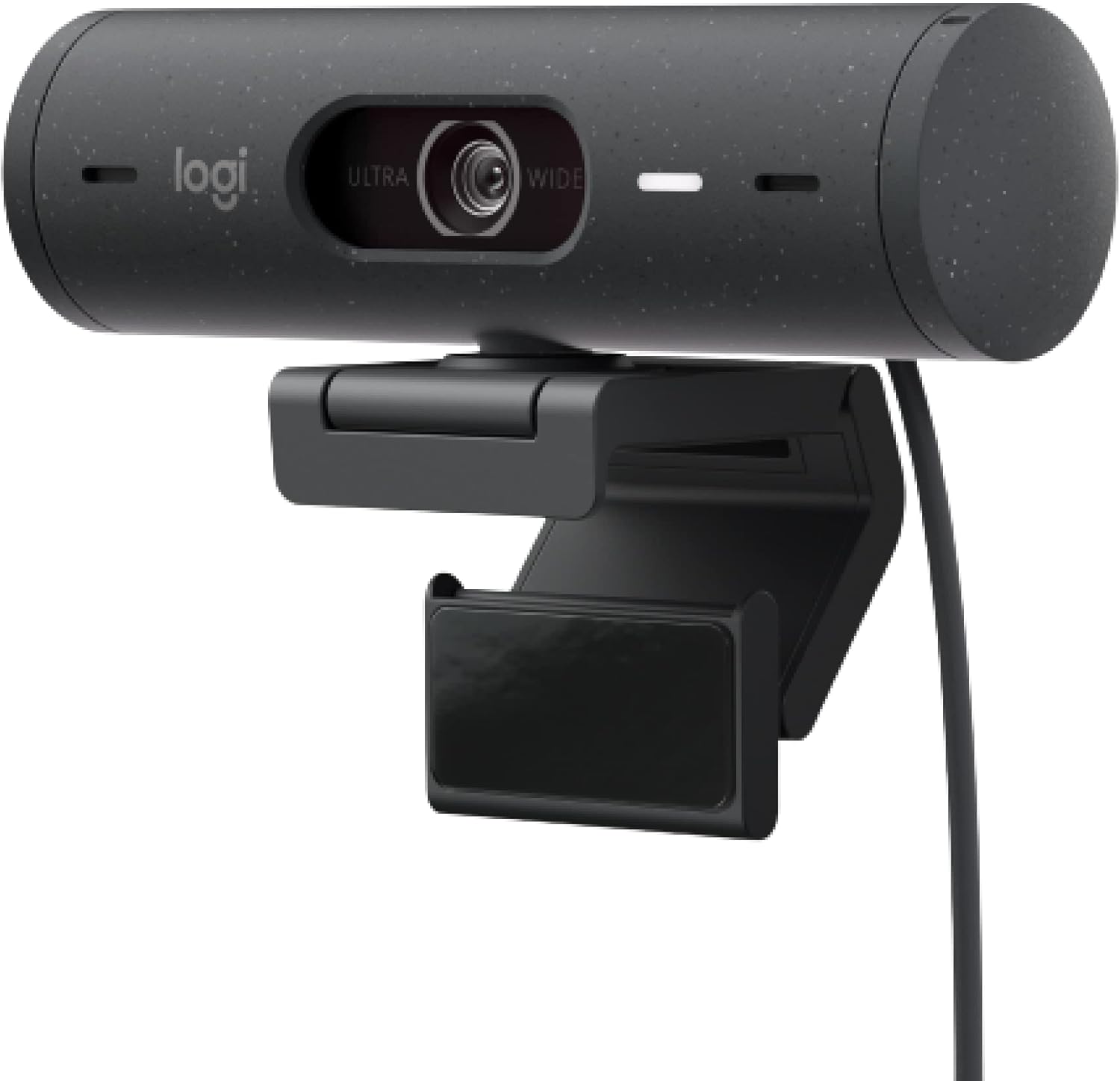
- Best microphone — Logitech Brio 500. The cleanest voice in the field, plus the best Full-HD pictures and a sliding privacy cover.
- If you want a light ring — Razer Kiyo. A capable but expensive camera whose selling point is its adjustable video light.
- The one to avoid — Trust Tyro. The worst sound in the test, and it blocks part of a thin-bezel screen.
Test winner: Insta360 Link 2 Pro
First place went somewhere unusual, because Insta360 has until now been known mainly for action cams and 360-degree cameras. That expertise clearly fed into the Link 2 Pro, whose resemblance to an action cam is obvious — above all in the fully motorised camera arm (a gimbal), which keeps the lens pointed at you as you move.
It also took the title for best image quality outright: a crisp, sharp picture with strong colours, convincing in both 4K and Full HD modes, and a good autofocus that adapts quickly so the person on camera stays clearly defined. The microphone is decent and the extras are numerous, which is what secured the top placing.
The catch is who it is for. At its price it is aimed at professional users rather than someone who wants a better picture on video calls.
Price tip: Aukey PC-LM1E
The Aukey PC-LM1E is a genuine value pick, and the source's own advice is explicit: if the Link is too expensive for you, this is the one to take.
You do have to live with some weaknesses. It starts with the sound — a hiss accompanies its tinny, thin recordings. The image quality is fundamentally acceptable: reasonably sharp but a little dark, with good colour reproduction, though there is visible image noise, particularly on the face.
Its strengths are practical ones: a flexible mount and very easy setup. For video calls where you want a clear improvement on a laptop camera without spending much, it does the job.
Best microphone: Logitech Brio 500
The Brio 500 earned a good overall grade and a place among the ten best webcams. Sharpness could be better, but the video quality overall is fine, and it makes the best Full-HD recordings currently available. It also has a practical sliding cover for privacy.
Its real distinction is sound. It transmits the user's voice most cleanly of anything in the test and records conversations clearly; the only possible complaint is that the volume is slightly low. If you spend your day on calls, this is the one.
With a light ring: Razer Kiyo
Sharp, sharper, Razer Kiyo: in testing this expensive camera delivered good pictures. Its distinguishing extra is the light ring, whose brightness is adjustable — genuinely useful in dark rooms or against backlight. Setup and mounting are child's play, and the clamp holds very firmly on the top of a monitor or laptop.
It is not perfect, though. Colours are too strong without the light and a little pale with it, so faces can look slightly unnatural. The built-in microphone records voices somewhat dull and quiet — adequate for calls, no more. And there is no lens cover.
Buy it for the light ring, in other words, not as a cheap option — it is one of the pricier cameras here.
Also in the tested field
Aukey PC-W3. Considerably cheaper than the winner and still capable of decent video. Sharpness held up well in poor light without noise or blocky artefacts intruding. The visual test found the limits: daylight footage looked somewhat overexposed, blurring detail, and it left people looking pale — enough to keep it just short of a "good" image grade.
Nulaxy C900. It has the handy sliding shutter that half the tested cameras offer, but its image quality in dim light was the worst encountered: where other cameras managed dark, soft, noisy pictures, the Nulaxy showed nothing at all — even the measuring instruments could capture nothing.
Trust Tyro — the one to avoid. Two problems. Mounted on a thin-bezel monitor, this comparatively large camera covers part of the screen, and the mount sits only loosely on the edge — although Trust supplies a small tripod so you can stand it on the desk instead. Worse is the sound: users were hardest to understand through the Tyro, with very thin voices and hissing S-sounds. Many built-in laptop microphones do better.
Cameras with no microphone at all. The Lenovo camera, the Elgato FaceCam and the Microsoft Modern Webcam have none, so you will need a separate solution for sound. The Logitech C922 Pro Stream, like the Tyro, ships with a tripod.
What matters when buying
They all connect by USB — usually the classic large Type-A plug, occasionally the modern USB-C connector.
Resolution is the specification to get right. Cheap webcams capture you at a maximum of 1,280 × 720 pixels (HD). That is adequate but not ideal, because even inexpensive displays and most laptop screens now show content in Full HD at 1,920 × 1,080. To fill the screen, the monitor has to upscale the recording, and the result looks soft. Choose a camera that records at at least 1,920 × 1,080. A 4K model at 3,840 × 2,160, such as the Logitech Brio 4K, is more detailed still, but only worth it in specific cases.
Privacy hardware. Half the tested cameras offer a lens cover, usually a small sliding shutter you pull across the lens — the surest way to know the electronic eye sees nothing without unplugging anything.
Features worth checking. Can it mount on a tripod? Does an LED tell you when it is recording? Is there a sliding lens shutter? How good is the software? Can it unlock a PC by face scan with Windows Hello?
How the webcams were tested
Image quality is measured on a purpose-built test rig. Testers capture still images in different conditions — daylight and dusk — using the TE42 test chart from Image Engineering as the technical subject, which allows colour deviations to be recorded precisely. A moving-image visual test then checks everyday usability.
Sound is assessed separately and in detail: how well the built-in microphone captures instructions and conversation, whether it conveys speech faithfully, and how well it filters out background noise, breathing, and sharp S and plosive sounds.
The weighting matters. Image and sound measurements account for 60 per cent of the final grade, and equipment and handling — tripod mount, recording LED, lens shutter, software, Windows Hello, ease of use — for the remaining 40 per cent.
Alternatives to a dedicated webcam
A monitor with a webcam built in. A screen with camera, microphone and speakers can replace expensive separate devices, and the test bears that out.
A headset for sound. A classic headset is often clearly superior to the microphones built into webcams and to laptop speakers — worth knowing if audio is what actually matters to you.
Your phone. If even the value pick is more than you want to spend, the right app turns a smartphone into a webcam. The iVCam app was tried with a Samsung Galaxy S21: install the free app, which exists for both iOS and Android, and setup is straightforward.
Frequently asked questions
Which is the best webcam? The Insta360 Link 2 Pro won the test on sharpness and colour reproduction, with decent microphone quality and a long list of extras. If it is too expensive, the source's own recommendation is the Aukey PC-LM1E.
Is a built-in or a USB webcam better? A USB webcam, in almost every case. Laptop makers fit low-resolution cameras to save cost, and the pictures look pale, soft and washed out. An external camera also lets you position it freely and adjust the angle.
Which webcam has the best microphone? The Logitech Brio 500 transmits voices most cleanly and records conversations clearly. At the other end, the Trust Tyro was the hardest to understand.
How do I protect my privacy? Half the tested cameras include a lens cover — a sliding shutter that physically blocks the lens. The Brio 500 has one; the Razer Kiyo does not.
What resolution do I need? At least 1,920 × 1,080. Anything capped at 1,280 × 720 has to be upscaled by a Full-HD screen, which makes it look soft.
How can I test my webcam? Online tools let you check both picture and sound from a browser before an important call.