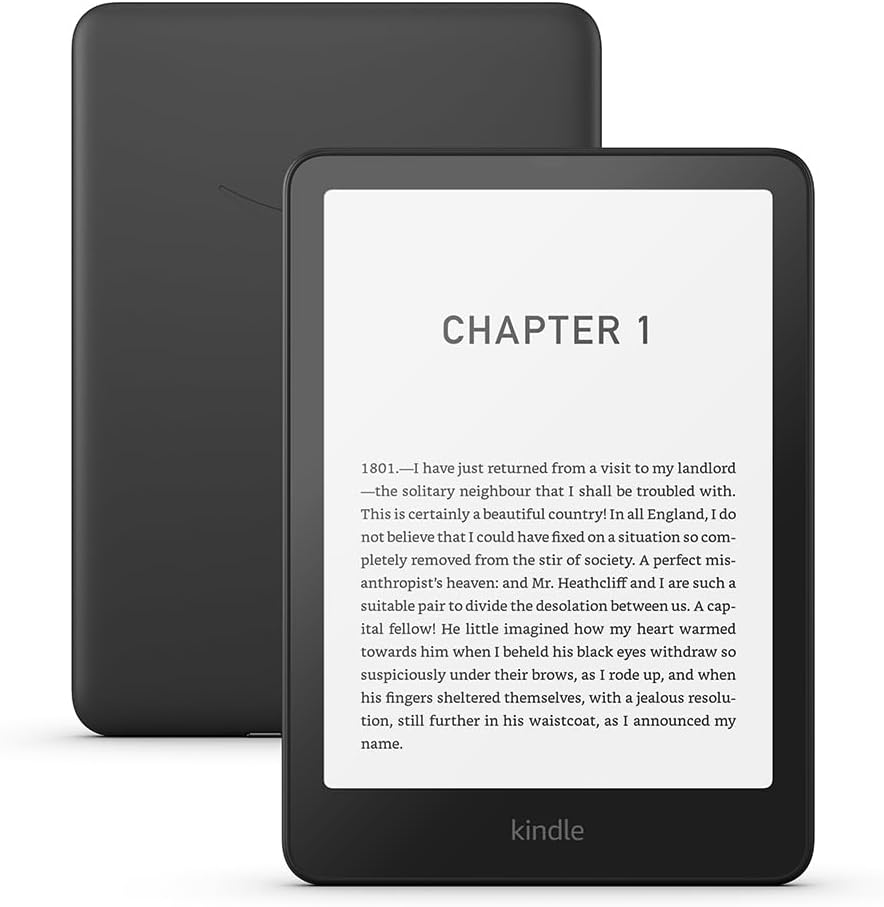
Buying an e-reader is really two decisions wearing one price tag: the device, and the bookshop you will be locked to — and the second decision matters more than the hardware.
From a tested field of 53 e-readers, here is how to make both well.
The ecosystem is almost more important than the hardware
Most books from established publishers are available on every platform, so the question is not whether you can get a book but how — and what happens to your library later.
Amazon's Kindle platform is a golden cage by design. Books bought there can be read only on Kindle devices and apps: Amazon uses its own format rather than the open ePub standard, so your purchases cannot follow you to another brand of reader. The gate swings one way, though — books bought elsewhere can be brought in, via the Send to Kindle function or tools such as Calibre.
The open alternative is the ePub world of Kobo and PocketBook (and, in German-speaking markets, the Tolino alliance): books bought in one shop generally work on any of these readers, and public-library lending through services like Libby/OverDrive fits naturally into it.
Neither answer is wrong. The closed system buys you the largest bookshop and the most polished experience; the open one buys you ownership that outlives your hardware choice. Decide which trade you are making before you compare a single screen.
The number that decides reading comfort
Text sharpness comes down to pixel density, and there is a threshold worth knowing: at 300 pixels per inch, digital type becomes practically indistinguishable from print for most people. Good readers now hit 300 ppi or at least clear 200; below that, you will see the pixels.
Sizes cluster around paperback territory — diagonals of 6 to 8 inches (15.24 to 20.32 cm) — with larger formats above for notes and documents.
Colour E-Ink: honest expectations
Colour e-readers have left their niche, and for comics, children's books and non-fiction with colour graphics they are now a real option. Two honest caveats before you pay the premium:
- The colours are not tablet colours. E-Ink's palette is technically much less saturated — closer to pastel — and comics genuinely look better on an iPad.
- Colour panels cost you text quality — and here is the mechanism. On the Kaleido technology these panels use, black-and-white content renders at 300 ppi but colour pages drop to half that, 150 ppi, and type comes out slightly darker and grainier. If you mostly read novels, a monochrome reader gives you the better page.
That second point is the one the marketing omits, and it is the reason the best reader for most people remains black and white.
The picks
Best overall — Amazon Kindle Paperwhite (2024). The screen grew from 6.8 to 7 inches, matching the discontinued top-model Oasis, and it hits the sweet spot between handiness and readability. Build quality is beyond doubt — stable, creak-free, with near-perfect display lighting — and it is waterproof, so poolside reading is fine. Colour temperature adjusts across 24 steps, manually or automatically, which makes evening reading noticeably more pleasant, and the E-Ink Carta 1200 panel delivers outstanding contrast. Navigation is swipe-only; there are no physical page buttons.
Its weaknesses are the cage, stated plainly: no buying from other shops, no public-library integration, and audiobooks only through Audible. Send to Kindle and Calibre soften this without removing it. It has also drifted upmarket in price over its predecessor — with the usual Amazon pattern of regular discounting.
Best colour reader — PocketBook InkPad Color 3. The first colour reader to earn a recommendation in the field: a comfortably large 7.8-inch display that renders classic ebooks crisply and makes colour non-fiction, children's books and comics genuinely nicer than monochrome — with enough size that finer detail survives, PDFs included.
Best colour alternative — Tolino Vision Color. A fine device with one caveat for readers here: Tolino is the ecosystem of the German bookshop alliance, and its shop integration is built around German retailers. In the UK, the equivalent open-system role is played by Kobo — whose Clara BW and Clara Colour both appear in the wider tested field.
Most interesting — Boox Palma 2. An E-Ink device in a phone-sized body, running full Android with the Play Store — so it can read Kindle, Kobo and library apps side by side, escaping the ecosystem question entirely. The trade: app-based reading is less comfortable than a native reader, the small format suits novels rather than large-format content, and the flexibility makes it more complex to operate. It also has speakers and a large storage allocation.
Best budget — Amazon Kindle (2024). Less refined than the Paperwhite but inherits its virtues: excellent everyday performance and thoughtful interface in a compact 6-inch body. The savings are visible — no waterproofing, no adjustable light colour — and the Amazon binding is the same. If you are happy in the ecosystem and want the cheap seat, this is it.
At the large end sits the Kindle Scribe, Amazon's E-Ink tablet: a 10.2-inch Paperwhite-class display with a stylus for handwritten notes in books and documents. Our on-site Kindle Scribe Colorsoft review covers the colour version.
Before you buy
Four questions. Whose shop? Decide the ecosystem first; it outlasts the device. Novels or illustrated content? Novels favour monochrome — genuinely. Library lending? Then the open systems or the Palma's app route, not a Kindle. And pool, bath, beach? — then waterproofing is the feature that separates otherwise similar readers.
If you want a bigger writing-focused device, our best e-readers overlap with paper tablets at the top end.
Research sources
Sources recorded for this page are linked below. Reported third-party testing belongs to the original publisher; it is not testing performed by Truthful Reviews.